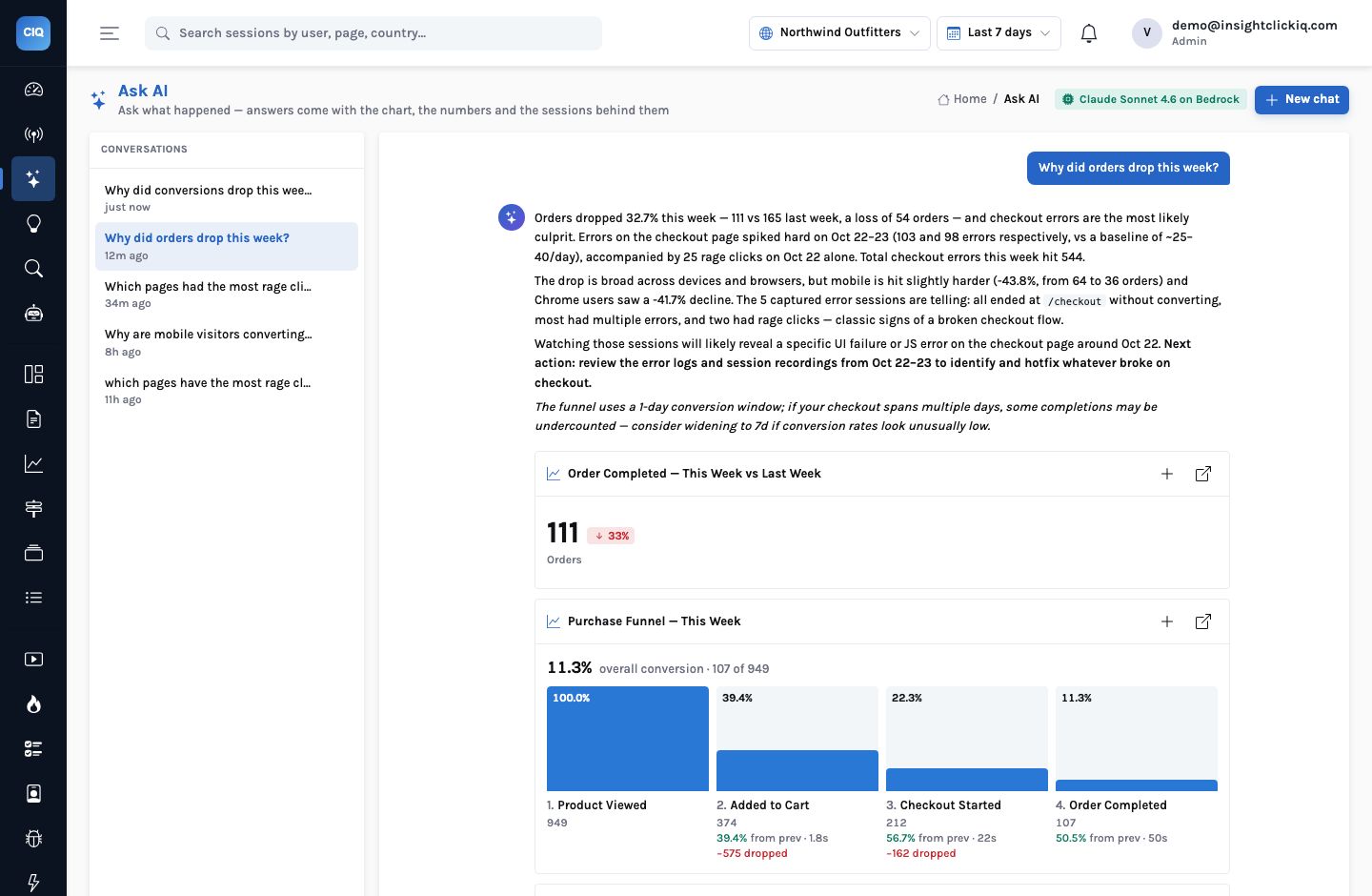
Most of the people who ask analytics questions now have an AI assistant open in another window. A developer is in Claude Code fixing the checkout; a product manager is in Claude Desktop drafting the weekly update; an engineer is in Cursor. Each of them wants a number from the analytics, and each of them has to leave the assistant, open the console, find the chart, and copy the figure back. The assistant could not see the data, so it could not help with the question that mattered.
The Model Context Protocol fixes the plumbing. InsightClickIQ exposes its analytics as an MCP
server at /mcp, so the assistant you already use can call it directly: list your
projects, run a query, find the frustrated sessions on a page, summarize one, read the signals.
This post covers how to connect it, a worked session against the Northwind demo store, and
— because this is your customers’ behaviour data — what the server lets an
agent do and what it does not.
Connecting takes one command
The project page in the console has a card titled Connect an AI agent (MCP) with the server URL and a ready-made snippet for each client. Authentication is the console’s own: a bearer token, either a personal API key from Users → API keys (preferred, because it does not expire with your browser session) or your session’s access token.
For Claude Code it is one line:
claude mcp add --transport http clickiq https://clickiq.example.com/mcp \
  --header "Authorization: Bearer <token>"
For Claude Desktop (claude_desktop_config.json) and Cursor
(.cursor/mcp.json) it is a small JSON block:
{ "mcpServers": { "clickiq": {
    "type": "http",
    "url": "https://clickiq.example.com/mcp",
    "headers": { "Authorization": "Bearer <token>" } } } }
The transport is MCP Streamable HTTP, run stateless with JSON responses: every POST carries
one JSON-RPC 2.0 request and gets one application/json answer. There are no
session ids and no event stream to keep open, which has two practical consequences. It sits
happily behind an ordinary load balancer, and curl is a valid client — useful
when you want to see exactly what an agent sees. The server accepts protocol versions from
2024-11-05 through 2026-07-28; GET /api/mcp/info returns the URL, the tool list and
these snippets as JSON.
The 37 tools
The MCP server does not have its own idea of what an analytics question is. It registers every
tool from the same registry the in-product agents use (app/services/ai/tools.py),
with input schemas synthesised from that registry, so an outside agent and the console’s
own analyst call exactly the same functions with exactly the same arguments.
| Group | Tools | What an agent uses them for |
|---|---|---|
| Orientation | list_projects, get_catalog | Which sites exist; the real event names, properties and top values to write queries against |
| Numbers | run_query, web_overview, compare_periods, drivers | Any trend, metric, table, funnel, retention or path; this period against the last; which source, device, country or page carries a change |
| Sessions | search_sessions, summarize_session | Find the sessions behind a number; read what one visitor wanted and where it went wrong |
| Always-on findings | list_signals, ask | Anomalies, frustration, error spikes with their cost; a full Ask AI answer |
| Experience | journey_patterns, journey_compare, journey_dropoff, heatmap_pages, heatmap_zones, explain_page, forms_list, form_detail | Mined paths, converted against dropped, element-level click analytics, field-level form drop-off |
| Quality | errors, error_detail, performance | Error groups and the sessions they hit; Core Web Vitals by page |
| Context | list_annotations, list_segments, segment_preview, list_dashboards, get_dashboard, list_reports, render_report | Releases and campaigns on the timeline, saved audiences, existing dashboards and executive reports |
| Experiments and surveys | list_flags, experiment_results, list_surveys, survey_results | Whether a test is ready to call and why; NPS and the themes of open-text answers (added since this post was first written) |
| Writes — editors only | investigate, create_dashboard, save_segment, create_annotation, create_alert | Run an investigation over many sessions; save what the conversation found |
Every result is compact JSON: table rows are capped at 50, lists at 120, and every rate, share and change is a fraction (0.42 means 42%), the same convention as the console. That last detail sounds pedantic until an agent multiplies a percentage by 100 a second time; one convention everywhere removes the possibility.
A worked session
Here is a short session against the Northwind Outfitters demo store, using curl so
every request and answer is visible. An agent in Claude Code does exactly this, one tool call at
a time, and shows you the result in the conversation.
Step one: what can I see?
curl -s https://clickiq.example.com/mcp -H 'Authorization: Bearer <token>' \
  -H 'Content-Type: application/json' -H 'Accept: application/json, text/event-stream' \
  -d '{"jsonrpc":"2.0","id":1,"method":"tools/call",
       "params":{"name":"list_projects","arguments":{}}}'
The answer lists three projects in this organization — Insurance 360 (demo), Northwind Outfitters and iLearnRight — with their ids, domains, time zones and first and last event times. Nothing else exists as far as this token is concerned.
Step two: a number. The developer suspects the cart page. run_query takes a
QuerySpec — the same JSON every chart in the console speaks:
{"name": "run_query", "arguments": {"spec": {
  "kind": "table", "project_id": "<northwind>", "range": "7d",
  "series": [{"event": "$any", "math": "count",
              "filters": [{"property": "type", "op": "in", "value": ["rage_click", "dead_click"]}]}],
  "filters": [{"property": "path", "op": "eq", "value": "/cart"}],
  "breakdown": "el_text", "limit": 5}}}
One row comes back: {"key": "Apply coupon", "s0": 160}. Every rage and dead click on
/cart in the last seven days landed on one button. The answer also carries the
normalized spec that actually ran, so the agent — and you — can see the
defaults it filled in.
Step three: how many people, and is it new? The same tool with
"kind": "metric", "math": "sessions" and "compare": true
returns value: 77, previous: 119, change: -0.3529: 77
sessions hit the dead button this week, fewer than the 119 the week before. Not a new problem;
a standing one, and smaller this week only because traffic fell.
Step four: show me the people.
{"name": "search_sessions", "arguments": {
  "project_id": "<northwind>", "range": "7d", "path": "/cart",
  "frustrated": true, "has_replay": true, "sort": "frustration", "limit": 3}}
total: 9 sessions match — frustrated, with a replay, through the cart —
and the top three come back with their stored AI summaries.
That is a debugging session’s worth of context, gathered without leaving the editor, and every figure in it came from the engine. The agent did not guess that the coupon button was the problem; one breakdown named it. It did not invent a session; it returned ids you can open in the console, where the replay seeks to the moment. And it surfaced a second defect — the checkout TypeError — that the developer had not asked about.
Why the model never writes SQL
An agent that writes SQL against your event table can write a query that is slow, wrong, or reaches a table it should not. Here the model fills in a QuerySpec: a small JSON grammar of kinds, series, filters and breakdowns over your real event names. The engine validates it, rejects what does not parse as a tool error the agent can read and correct, and compiles the rest itself, with the tenant predicate inside. The grammar is in the tool description, so a capable model writes valid specs on the first attempt most of the time.
Tenancy: what an agent cannot reach
Connecting an outside agent to customer-behaviour data is a security decision, so here is the full chain, in the order a request meets it.
- The token is checked first.
/mcpis not a public route, so the identity middleware rejects a missing or bad token before the MCP transport sees the request. A bad token gets401; we checked. - Every tool resolves the caller. Each call looks up the user behind the token and pins its database session to that user’s organization — the same hook the console uses for every page.
- Postgres row-level security binds the rows. Product tables carry the organization and an RLS policy; the API runs as an ordinary role so the policy applies. An outsider’s token sees no projects, no sessions and no dashboards — not an error, simply nothing.
- Writes need an editor. The five write tools — investigate, create a dashboard, save a segment, add an annotation, create an alert — refuse a viewer. A read-only analyst can connect Claude Desktop without being able to change anything.
- The model sees results, not tables. Answers are compacted (rows capped, no SQL timings) and contain what a console user with the same role would see.
Every agent sees everything the service account sees, every write is attributed to it, and revoking one person means rotating everyone.
The agent acts as the person who connected it: their organization, their role, their audit trail. Revoking their key disconnects their agents and nobody else’s.
The same tools, inside the product
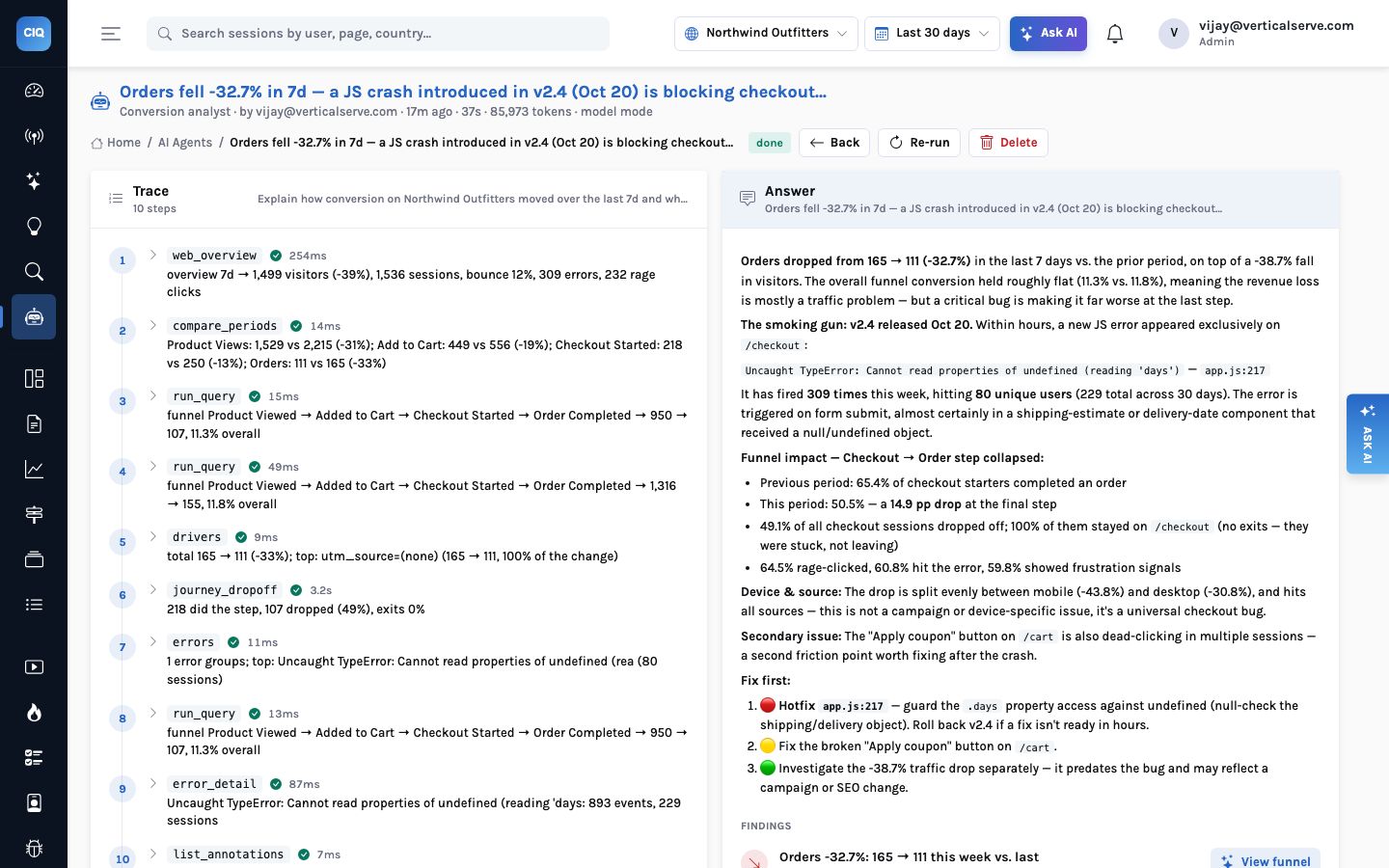
Because the registry is shared, the in-product agents are a good preview of what an outside
agent can do with it. The conversion-analyst playbook below ran ten tool calls in 37 seconds:
web_overview, compare_periods, run_query for the funnel,
drivers, journey_dropoff, errors,
error_detail and list_annotations — which is how it tied the
checkout crash to the v2.4 release note on October 20.
When to use MCP, and when the console
- Use MCP when the question belongs to other work. A developer checking whether a fix changed the dead-click count, a PM pulling three figures into a draft, an engineer asking which error fingerprint a stack trace belongs to.
- Use the console when you need to look. Replays, heatmaps with zones drawn on the page, and the journey flow are visual; an agent can return the session ids and the zone table, but watching the visitor struggle is still a console job.
- Use an investigation for many sessions. An agent can call
investigate(as an editor) to summarize up to 40 sessions and group them into themes with evidence — better than asking it to read 40 summaries one by one.
The assistant you already use can now read your analytics — as you, inside your organization, through the same validated queries the console runs.
AI on every screen of the console → · Privacy and tenancy in depth →