- contact@insightclickiq.com
- Every click, every session, explained by AI

Executive reports
Dashboards are for working. Reports are for sending.
A report is a document: sections of panels over one date range, opened by an executive summary that the AI writes from the real numbers on the page.
The document
An executive summary that cites the page
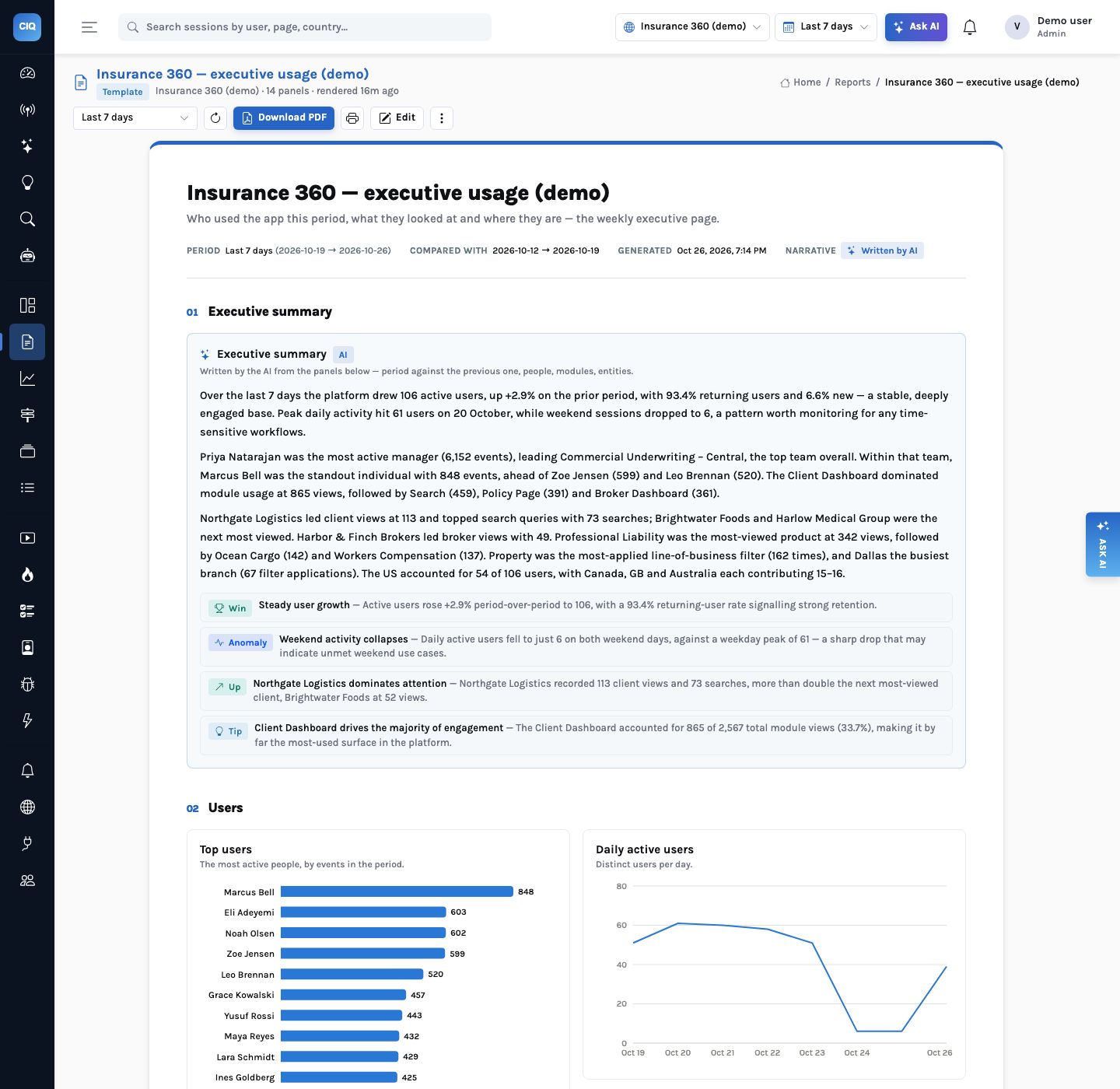
Summary panels are written after every other panel has run, from their actual results; they compare the period with the previous one and name what moved. Below them: KPI rows, charts, ranked horizontal bars, tables, text you write, and maps by country, US state or city.
On the Insurance 360 demo, the 7-day executive usage report opens with 106 active users, up 2.9%, 93.4% of them returning; the most active manager’s team; the Client Dashboard as the most-used module; and the most-viewed client and broker.
Print and PDF
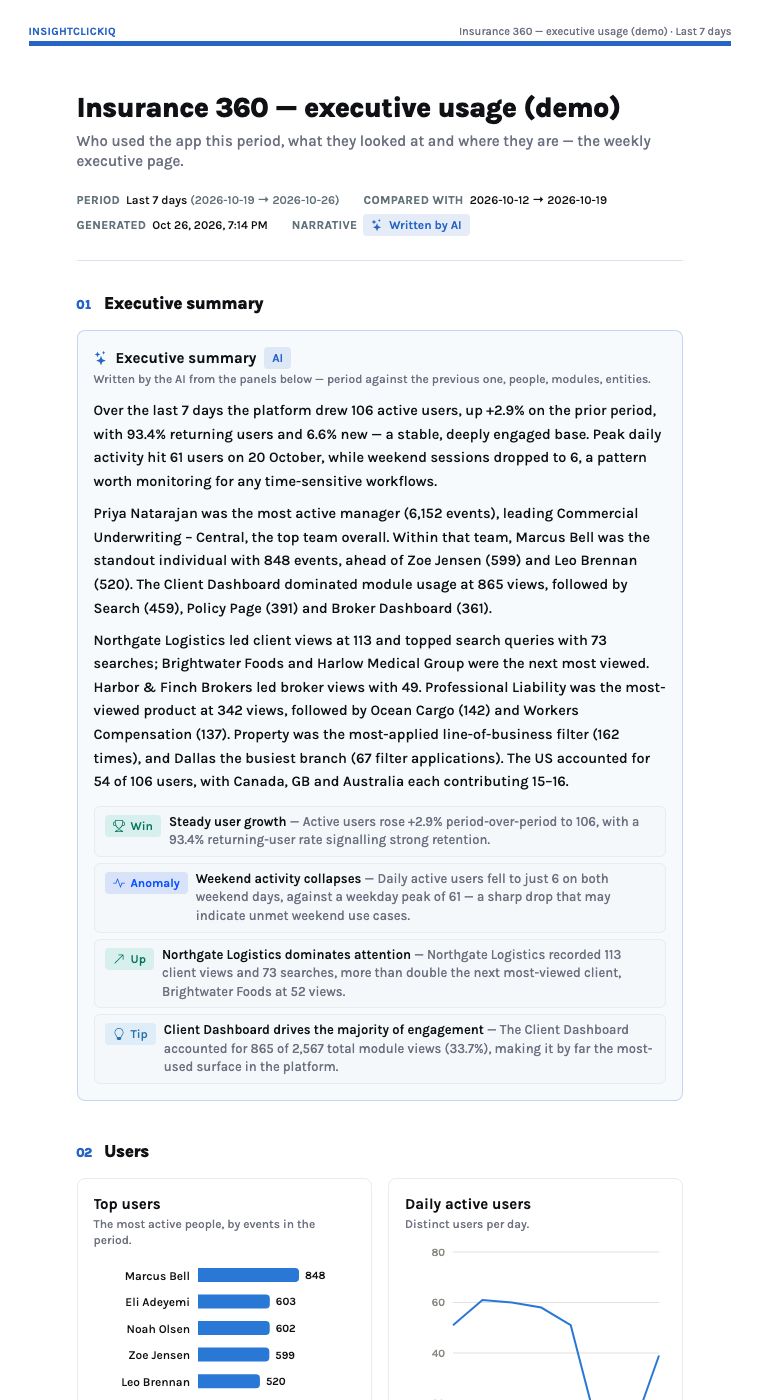
A4 that does not cut a chart in half
The print view drops the console around the report and lays it out for A4: panels never split across a page, a section that holds a map starts on a new page. The PDF is printed on the server by headless Chromium once every panel has painted; if Chromium is unavailable the browser’s own print-to-PDF takes over. Snapshots keep what was sent, with the PDF in your object store.
Build one
From a template, a sentence, or by hand
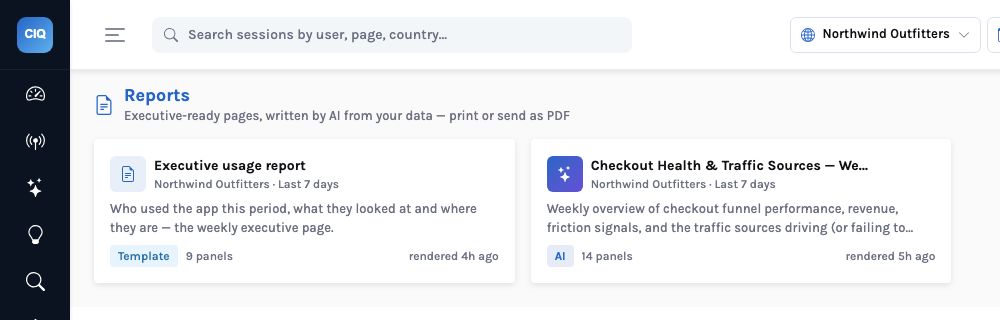
Four templates (executive usage, weekly product, acquisition, UX quality), “describe the report you need”, or a blank page. Add a panel by describing it: “top brokers viewed, horizontal bar”.
How it works
How a report renders: panels first, then the narrative that reads them
What you can ask
Questions this answers
Type them into Ask, give them to an agent as a goal, or send them through MCP from your own assistant.
Build an executive usage report for the last 7 daysThe template, rendered with a summary
Add a panel: top brokers viewed, horizontal barOne panel from a sentence
Which team used the platform most?A breakdown by user.team
Where are our users?A map by country, state or city
Send last week's report as PDFThe server PDF, kept as a snapshot
Weekly product report for the checkout projectA template over your events
Outcomes
What teams do with it
The usage report leadership asks for
Who uses the platform, which modules, which clients, where, with the summary written.
No screenshot pasting
The PDF is the report, printed on the server with every chart intact.
A record of what was sent
Snapshots keep the range and the PDF for every send.
Where it stops. A report's summary is only as rich as its panels: it cites what the other panels computed, nothing else. Maps show matched geographies and list values that match none.