- contact@insightclickiq.com
- Every click, every session, explained by AI

Solutions
Same product, different questions
Where InsightClickIQ is used, what each team instruments, and what it shows them. The examples are the demo projects that ship with the product, so every number here can be reproduced.
Ecommerce
Find the broken button before the weekly revenue review
Online stores lose orders to small things: a coupon field that does nothing, a slow hero image, a checkout error after a release. They show up as a dip in a chart days later, with no indication of which thing it was.
What to send
The snippet on every page, plus track("Order completed", {revenue}) and the order events marked as conversion events. Clicks, rage and dead clicks, forms, errors, vitals and replay need no code.
What you get
- Signals sized by lost conversions and revenue at risk, sorted by cost
- Zones and “Explain this page” on the cart and product pages
- Checkout form drop-off by field, never field values
- Journeys: the golden path and the step that leaks
- Release annotations next to the errors that started with them
- A checkout redesign behind a flag, read out as ship, keep running or stop
- An NPS survey on /checkout whose open-text themes link to the replays
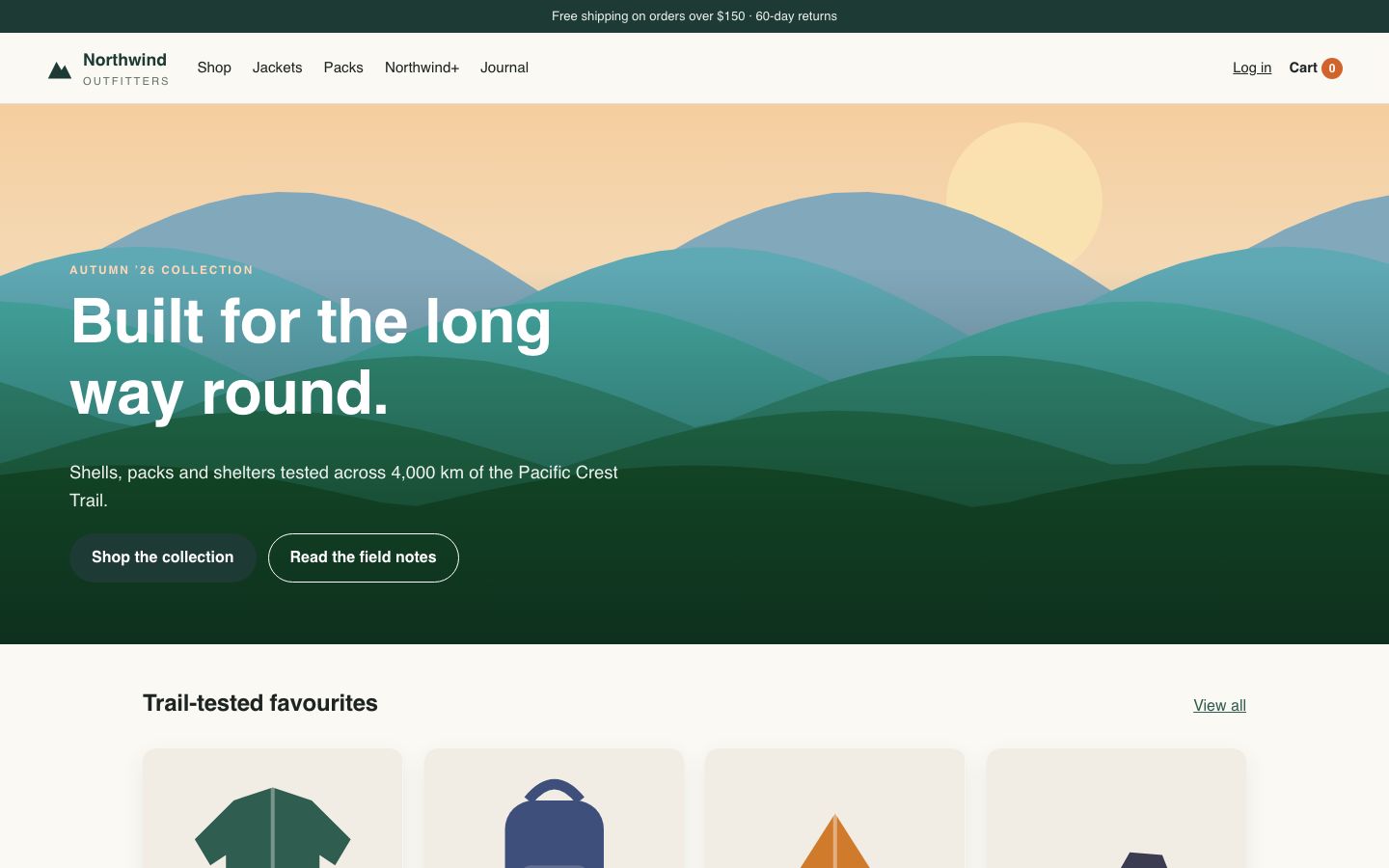
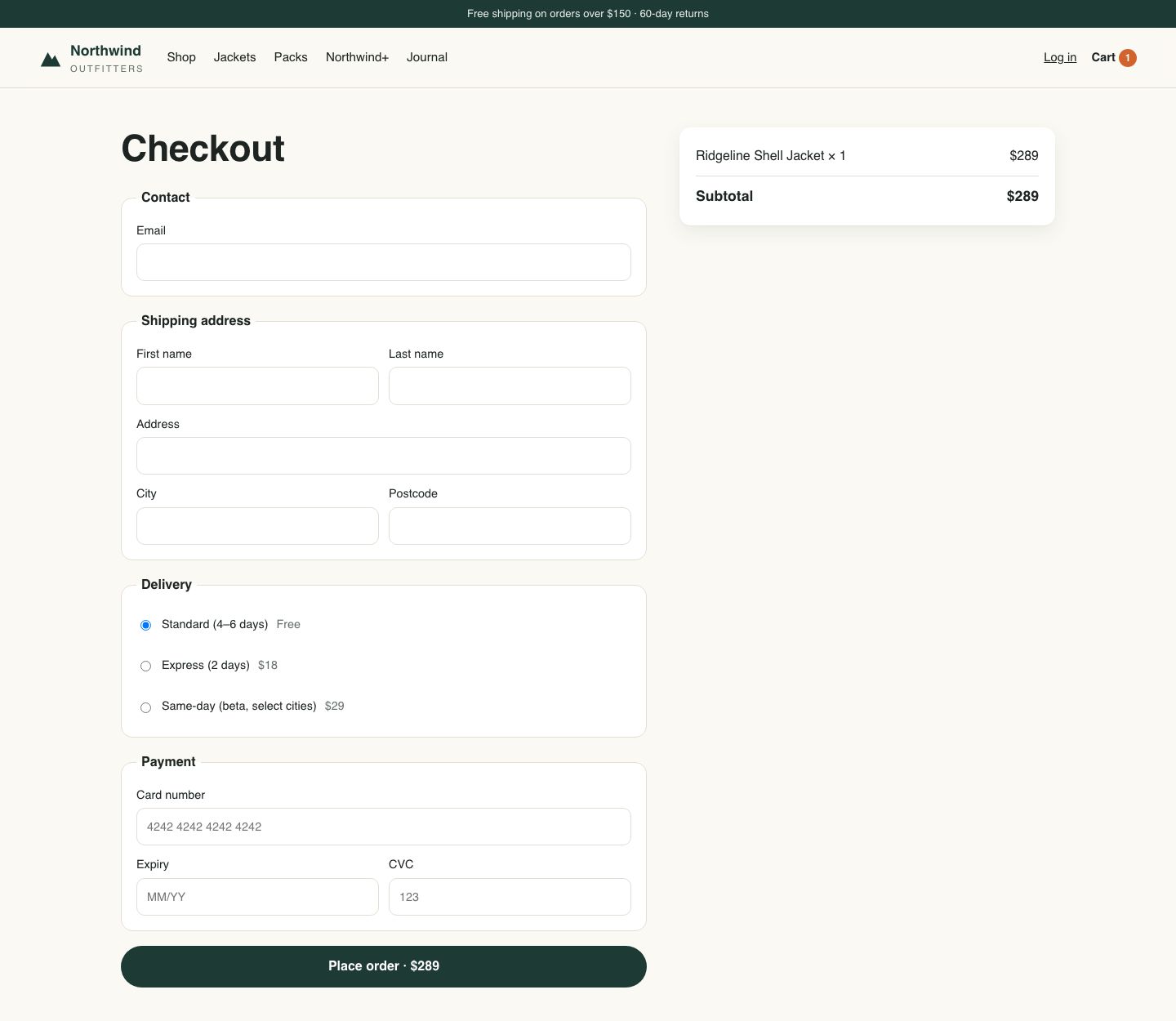
In the demo: the Northwind Outfitters store has a dead “Apply coupon” button on /cart (303 of 830 clicks did nothing; clickers converted at 28% against 69%), a homepage LCP of 4.8 s at the 75th percentile, and a checkout TypeError that begins at the v2.4 release. InsightClickIQ raises all three as signals with a cost attached. The checkout survey says the same thing in customers’ words: NPS −31, and the largest theme (20 of 50 answers) is the broken coupon button. The checkout-redesign experiment reads “ship new”: 12.65% against 10.99%, p = 0.022.
SaaS onboarding
See where trials stall between sign-up and the first value moment
Trial-to-paid depends on a few early steps. Product teams usually see the end of the funnel (signed up, converted) and guess about the middle.
What to send
identify on sign-in with plan and role, and named events for the activation steps (Signed up, Project created, Invited teammate). Use the activation event as the journey goal.
What you get
- Journeys re-scored against your own goal event; loops in onboarding
- Funnels with a conversion window, and retention cohorts on any event
- The Form doctor on the sign-up form; Install health to check the events arrive
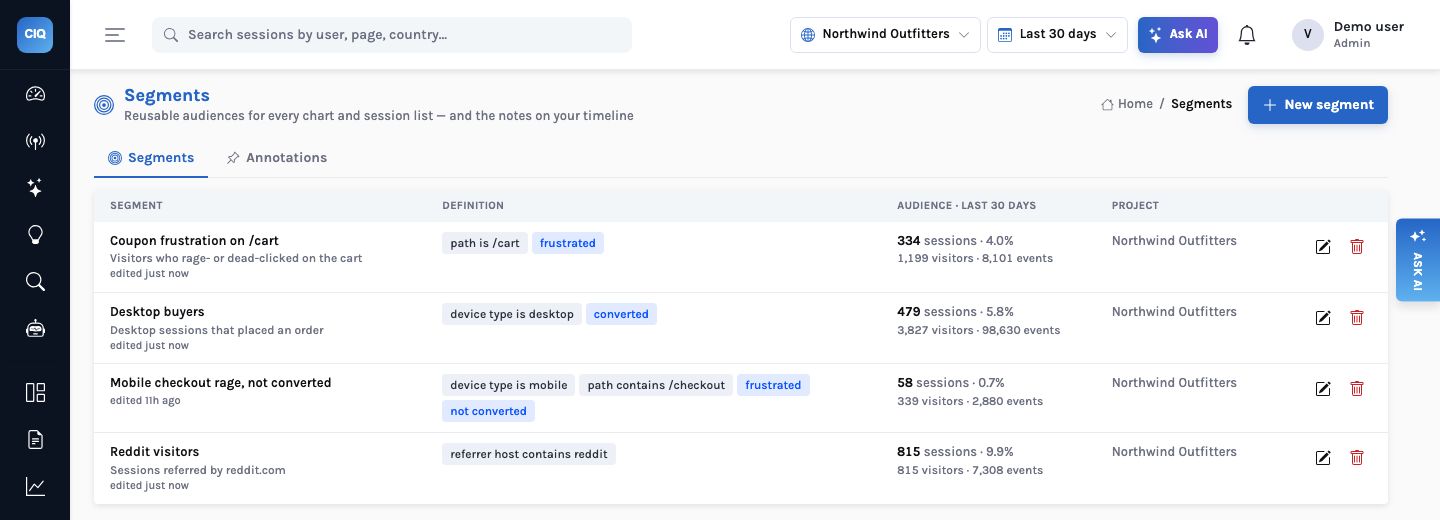
- Segments such as “trials on the Pro plan who never invited anyone”, used in every chart and alert
- Agents scheduled weekly to review conversion and drop-off
- New onboarding steps behind a flag, rolled out by plan or role, with an A/B readout on the activation event
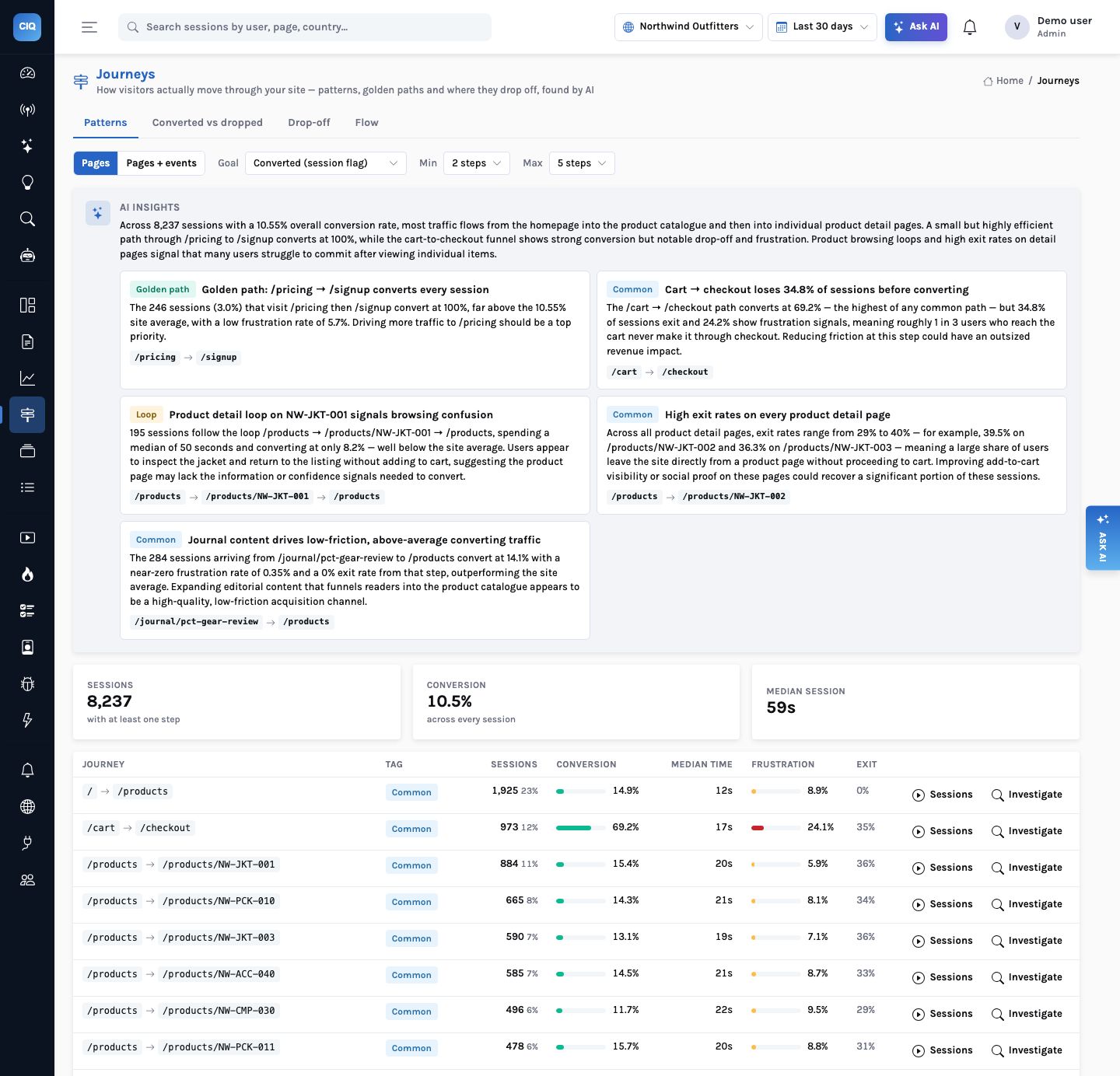
In the demo: the demo store includes a /pricing → /signup path; the Journeys narrative singles it out as a small but high-converting golden path across 8,241 sessions.
Insurance client-360
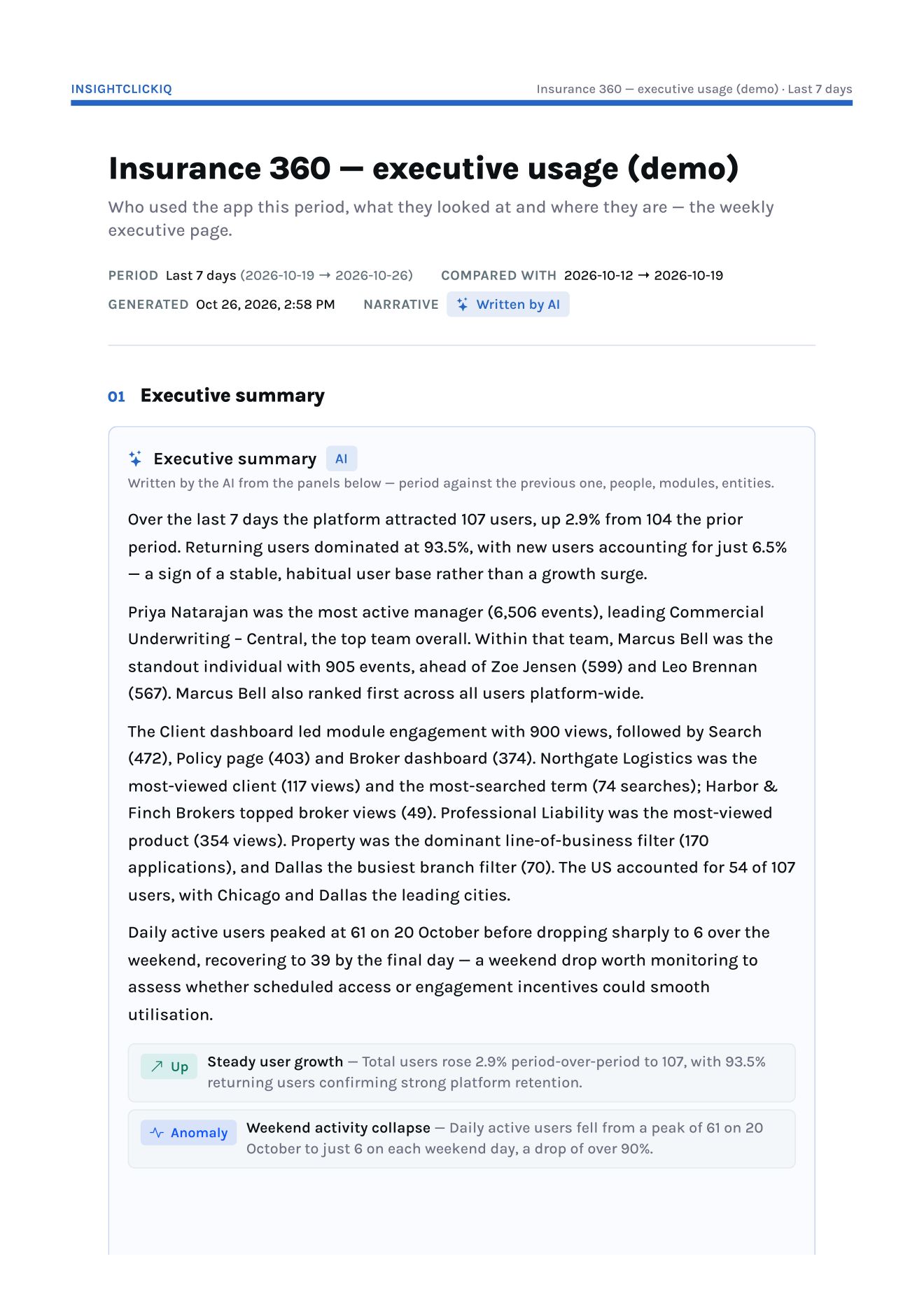
An executive usage report for an internal client-360 application
Internal platforms for underwriters, brokers and claims teams cost a lot to build. Leadership wants to know who uses them, which modules, which clients and brokers people look at, and from where, every week, without anyone assembling slides.
What to send
The snippet in the React front end; identify with manager, team, division, department, branch and role; named events (Module viewed, Search, Entity viewed, Filter applied, AI insight viewed, Export, Quote created, Policy bound); and the server sending Login failed and Policy bound with the branch’s location. The full instrumentation guide is in the docs.
What you get
- The executive usage template: summary, top users, daily actives, top clients and brokers, filters used, module engagement, country, state, city and a map
- Breakdowns by any person trait:
user.manager,user.team,user.branch - A server-rendered PDF, kept as a snapshot each week
- Failed logins (sent by the server, which knows why) and zero-result searches, broken down like any other event
- The platform’s own AI copilots measured too: generations, failures, latency, cost and thumbs-down per agent, from the Python SDK
- The report emailed to leadership each week with the PDF attached
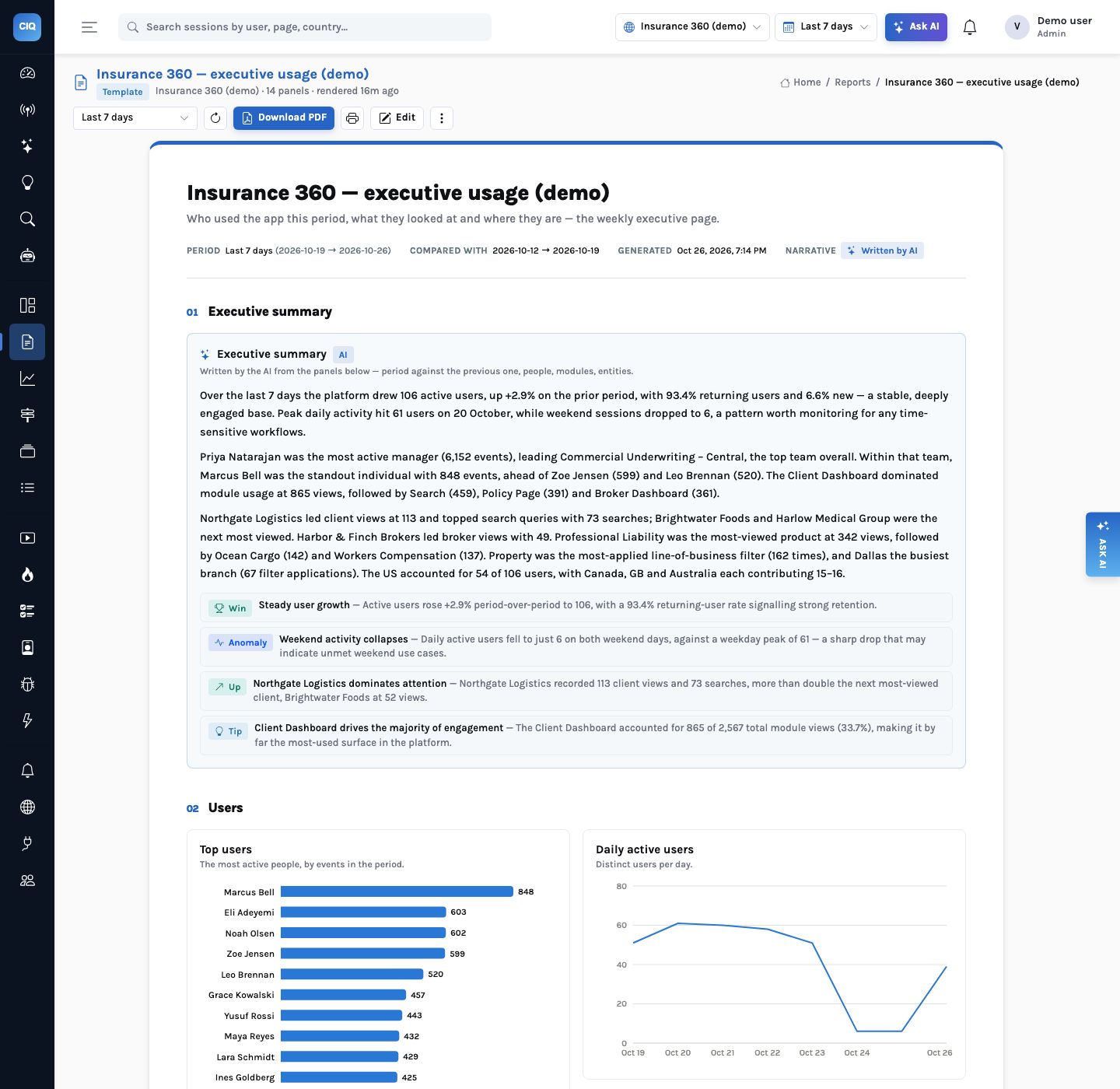
In the demo: the Insurance 360 project’s 7-day report opens with 106 active users (up 2.9%), 93.4% returning, the Client Dashboard as the most-used module and Northgate Logistics as the most-viewed client. Its two demo copilots made 2,037 generations in 30 days, and InsightClickIQ flagged both: renewal-assistant failed 27% of generations yesterday (usually 1.8%), and claims-copilot’s p95 latency rose to 6.3 s. To try the instrumentation before touching your own code, a local test kit runs InsightClickIQ with a sample React + Python client app already wired to it, in one docker compose up.
EdTech, web and mobile
One view of learners across the web app and the phone app
Learning products run on the web and in a native app, and the learner moves between them. Two analytics tools give two partial stories.
What to send
The web snippet in the browser app and the React Native SDK in the mobile app, both sending to the same project; identify with the account id (never an email); track("Lesson started", {subject}).
What you get
- Screens as pageviews (
app://com.example.app/LessonListbecomes/LessonList), so journeys and funnels span web and app - Breakdowns by platform, app version and device model
- Crashes and JS errors per app version
- Tap heatmaps per screen, and app start, screen load, frozen frames and ANRs by platform and version
- Masked native replay with the same AI summaries, so a stuck learner’s session explains itself
- An offline queue, so lessons used without a connection are still counted
In the demo: the iLearnRight project receives events from the React Native, iOS and Android SDKs. Its iOS tap heatmap shows Retry on the lesson list taking 33 taps, 11 of them rage; its ANR rate is poor (2 of 12 native sessions); and one replayed iOS session is summarised as a quiz loop: the learner answered the Fractions quiz five times in 68 seconds.
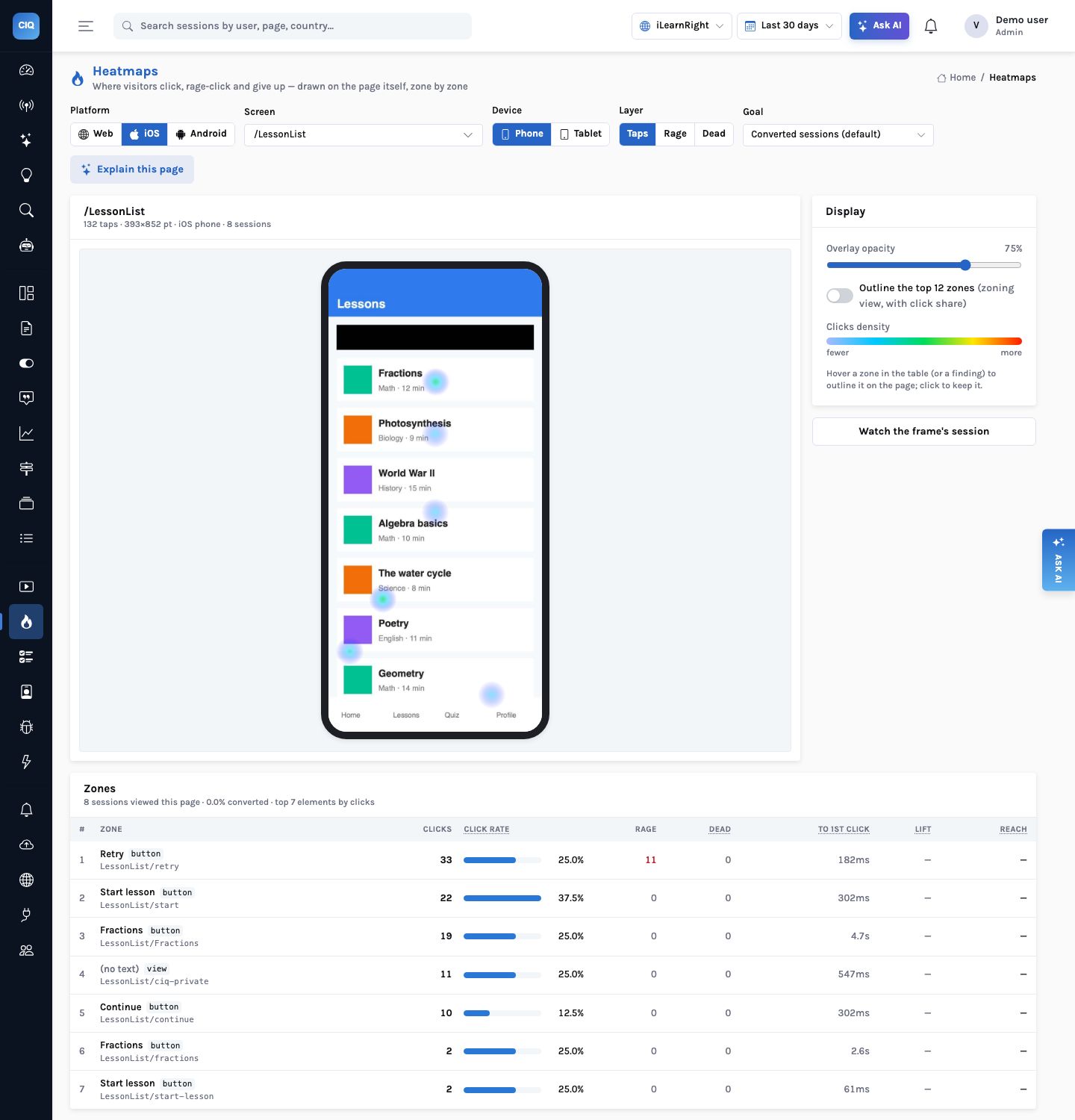
LessonList/ciq-private. Retry leads with 33 taps and 11 rage taps.
Internal enterprise apps
Adoption analytics for the tools your own people use
Internal applications rarely get product analytics. When they do, the questions are about teams and roles rather than campaigns, the network is a VPN, and privacy reviews are strict.
What to send
The snippet or npm package; identify with team and role traits; data-private on any element showing customer data and data-clickiq-block on whole regions; server-side events with a geo for the office when the edge only sees the VPN.
What you get
- Adoption by team, role or branch through person traits in any chart
- Install health as a daily agent: are identify and the named events arriving?
- Recording that masks inputs by default and never records blocked regions
- Deployment in your own cloud account or on-premises, with your own identity provider
In the demo: the Insurance 360 project is an internal application: 120 people over 30 days, with every panel of its report broken down by person traits.
Instrumentation
The pattern is the same everywhere
The snippet captures the mechanics. You name the business moments, and identify who the person is.
<script>
  !function(w,d,k,h){if(w.clickiq)return;var q=[],t=w.clickiq=function(){q.push(arguments)};t.q=q;
  var s=d.createElement("script");s.async=1;s.src=h+"/sdk/clickiq.js";s.setAttribute("data-key",k);
  s.setAttribute("data-host",h);d.head.appendChild(s)}(window,document,"ciq_YOUR_KEY","https://clickiq.example.com");
</script>
<script>
  clickiq("identify", "user-123", { team: "Commercial Underwriting", role: "underwriter" });
  clickiq("track", "Quote created", { lob: "Property" });
</script>