- contact@insightclickiq.com
- Every click, every session, explained by AI

AI insights & Ask
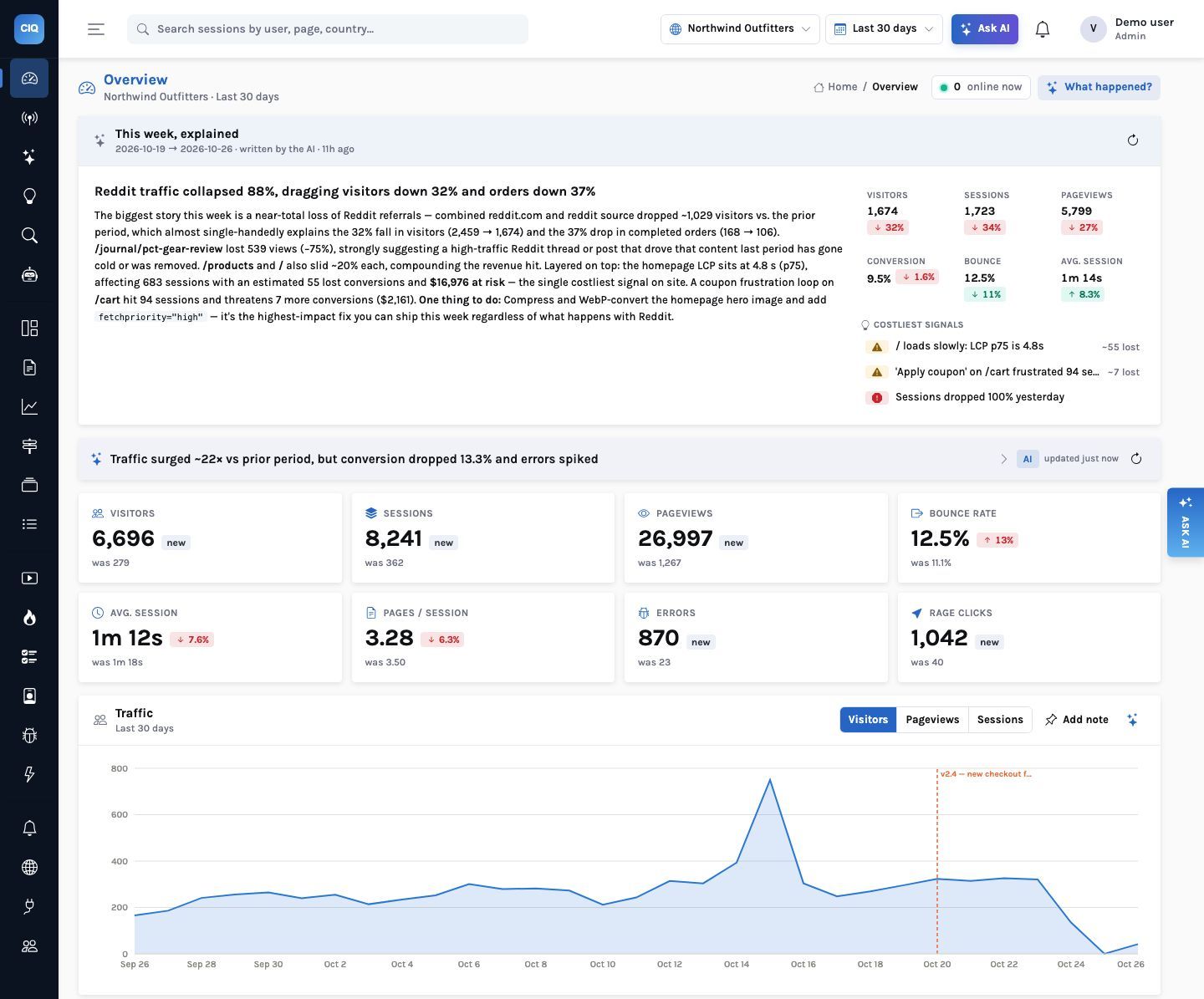
The console opens on what changed and what it costs
You should not have to know which chart to build. InsightClickIQ computes the numbers that matter on every screen, words them, and keeps the working one click away.
Digest
This week, explained, before anyone asks
Each project gets a weekly (or daily) narrative built from real KPI deltas against the previous period, the pages and sources that moved most, and the top signals by impact. It ends with one thing to do. The background loop writes every project’s digest once a day, so it is there when the console opens.
The same Overview carries an insight card: a headline, findings that link to the screen that proves them, the 3–8 numbers the narrative rests on, and suggested questions.
Signals with impact
A cost on every anomaly, so you fix the right thing first
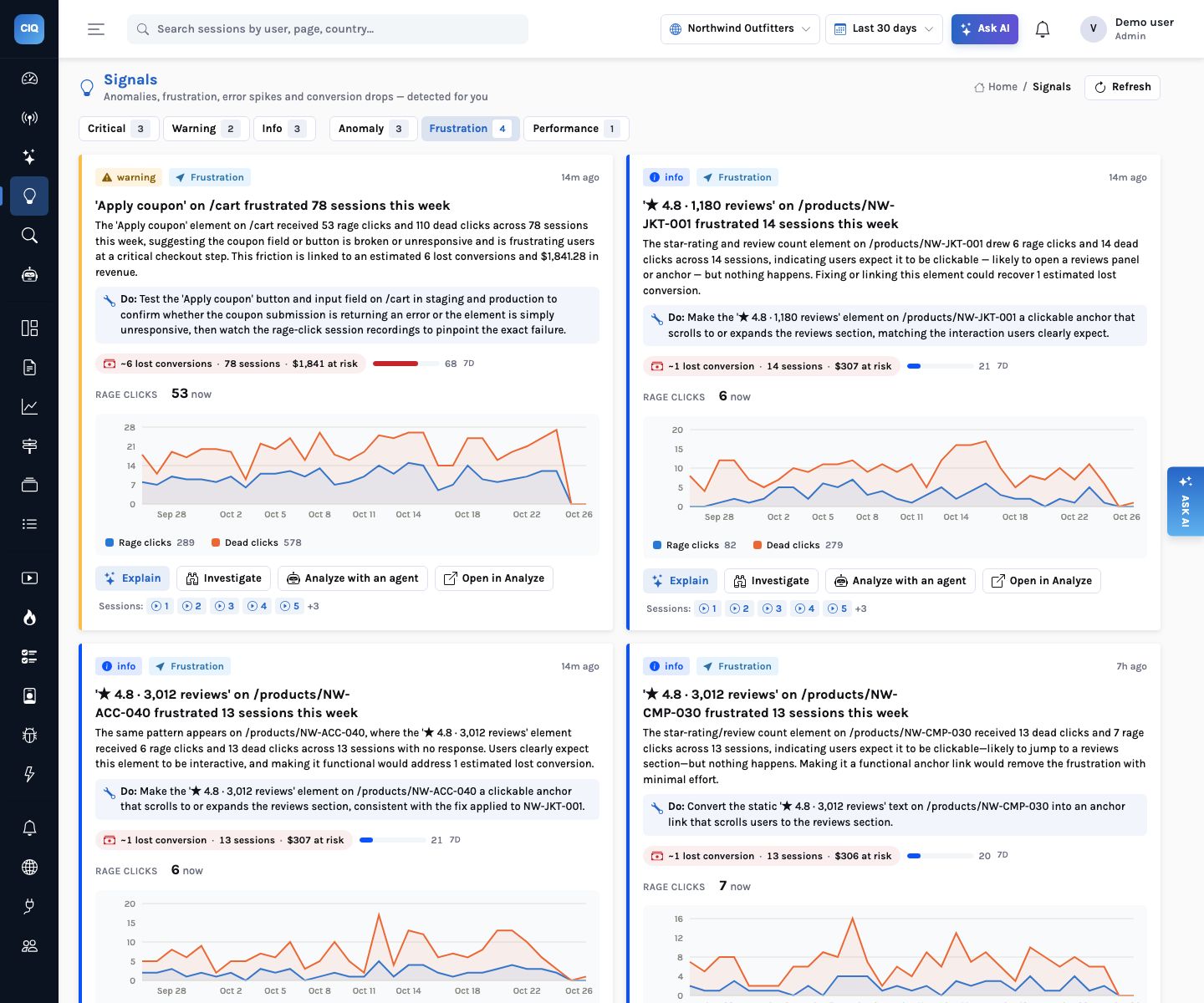
Traffic and conversion anomalies, new traffic sources, frustration hot spots, error spikes and slow pages are detected statistically every 30 minutes. Each is then sized:
- Touched: the sessions and people affected, per kind (for example, sessions that hit the rage-clicked element in the last 7 days)
- Lost conversions: touched sessions that did not convert × the project’s conversion rate
- Revenue at risk: lost conversions × the average order value, when orders carry a value
- Score 0–100 and a recommendation; the list is sorted by it
- Investigate or Analyze with an agent from the signal itself
Ask
Ask in words, get numbers, charts and the sessions behind them
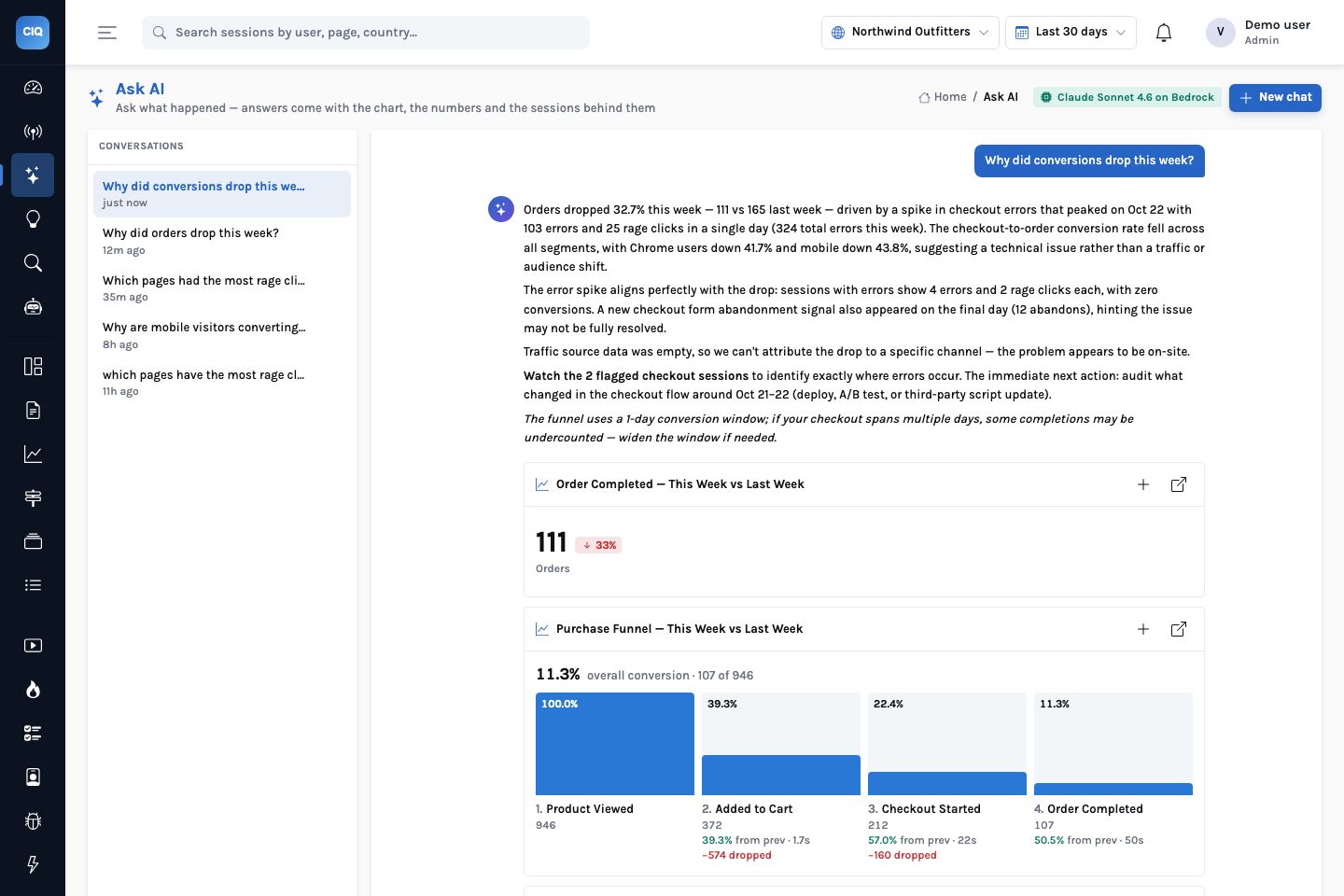
“Why did conversions drop this week?” returns an answer in plain language with the real figures, the charts behind it, a drivers breakdown of which source, device, page or country carried the change, and sessions to watch. Turn on Deep analysis and the question goes to an agent instead, which drills down step by step.
The model plans QuerySpecs against the project’s real catalog of event names, properties and top values. The engine validates and runs them; a second call narrates only the numbers that came back. Any answer can be kept as a widget or a dashboard.
Explain
Explain on every chart and widget
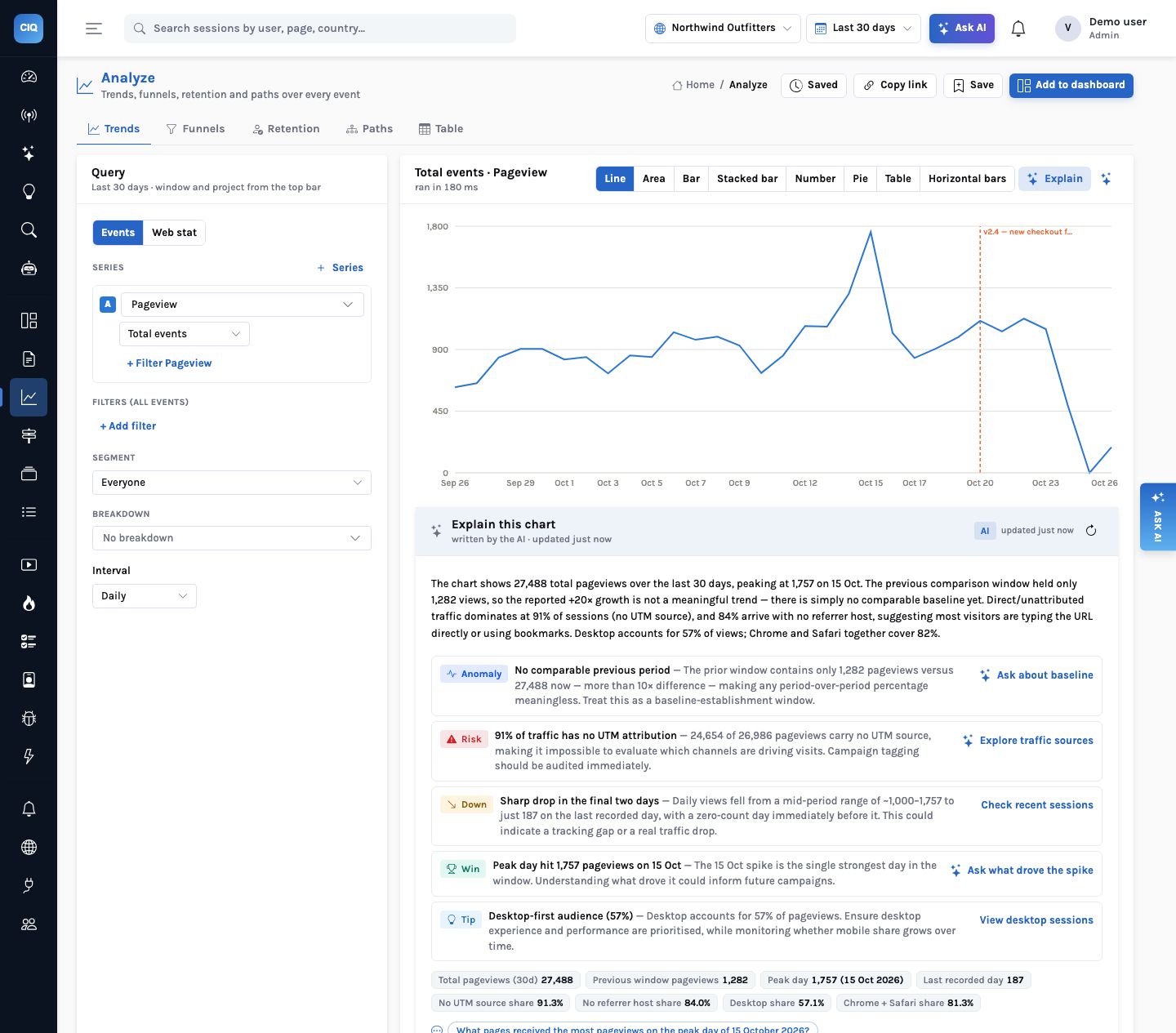
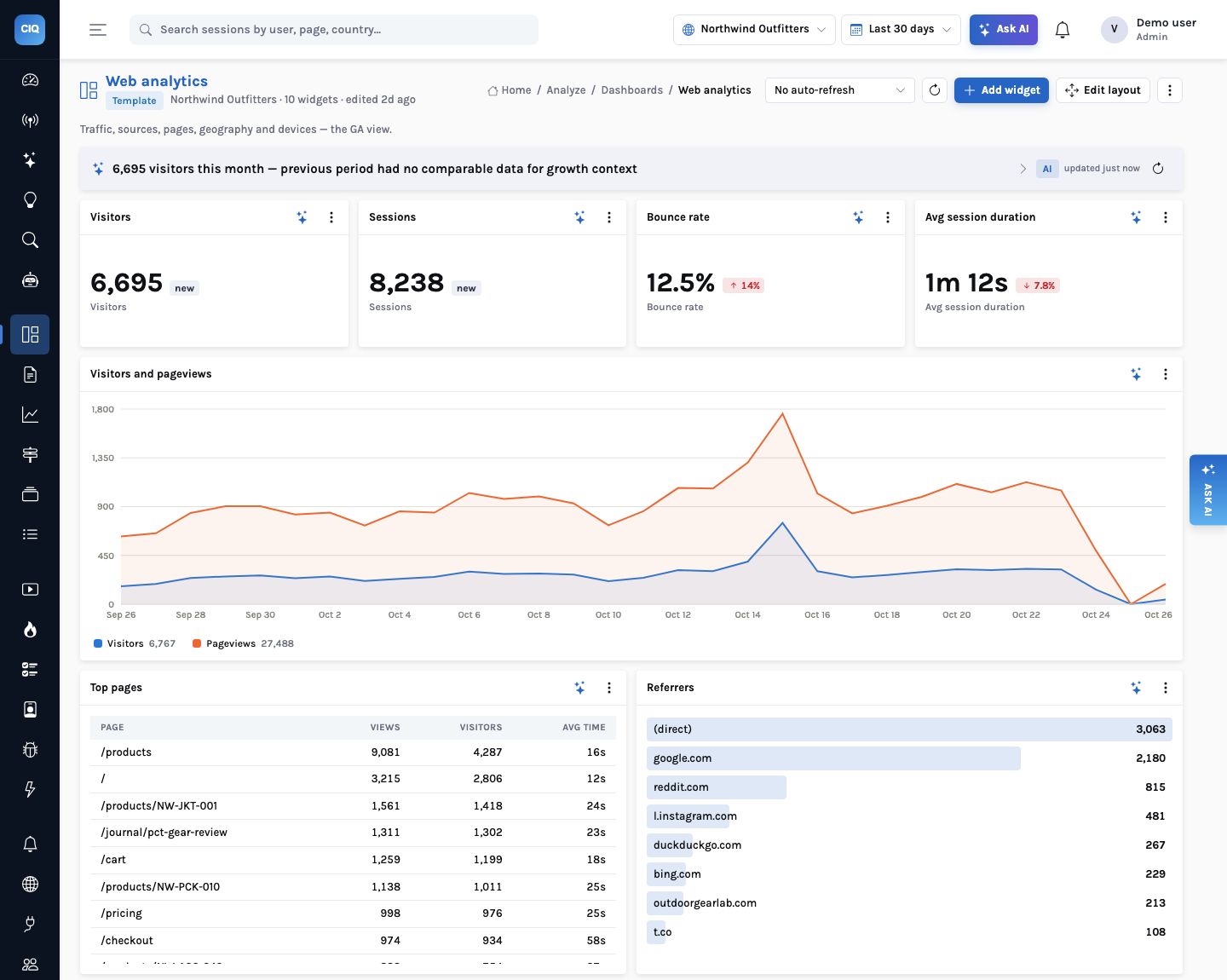
Every chart in Analyze and every dashboard widget has an Explain button. It runs the chart’s own spec, compares it with the previous period, finds the drivers for a single series and reads the result back to you, cached for ten minutes.
Seventeen surfaces work this way, from the Overview and Live to a single error, a single person or a single form, through one endpoint and one checked output shape.
Investigations
Many sessions in, a handful of themes out
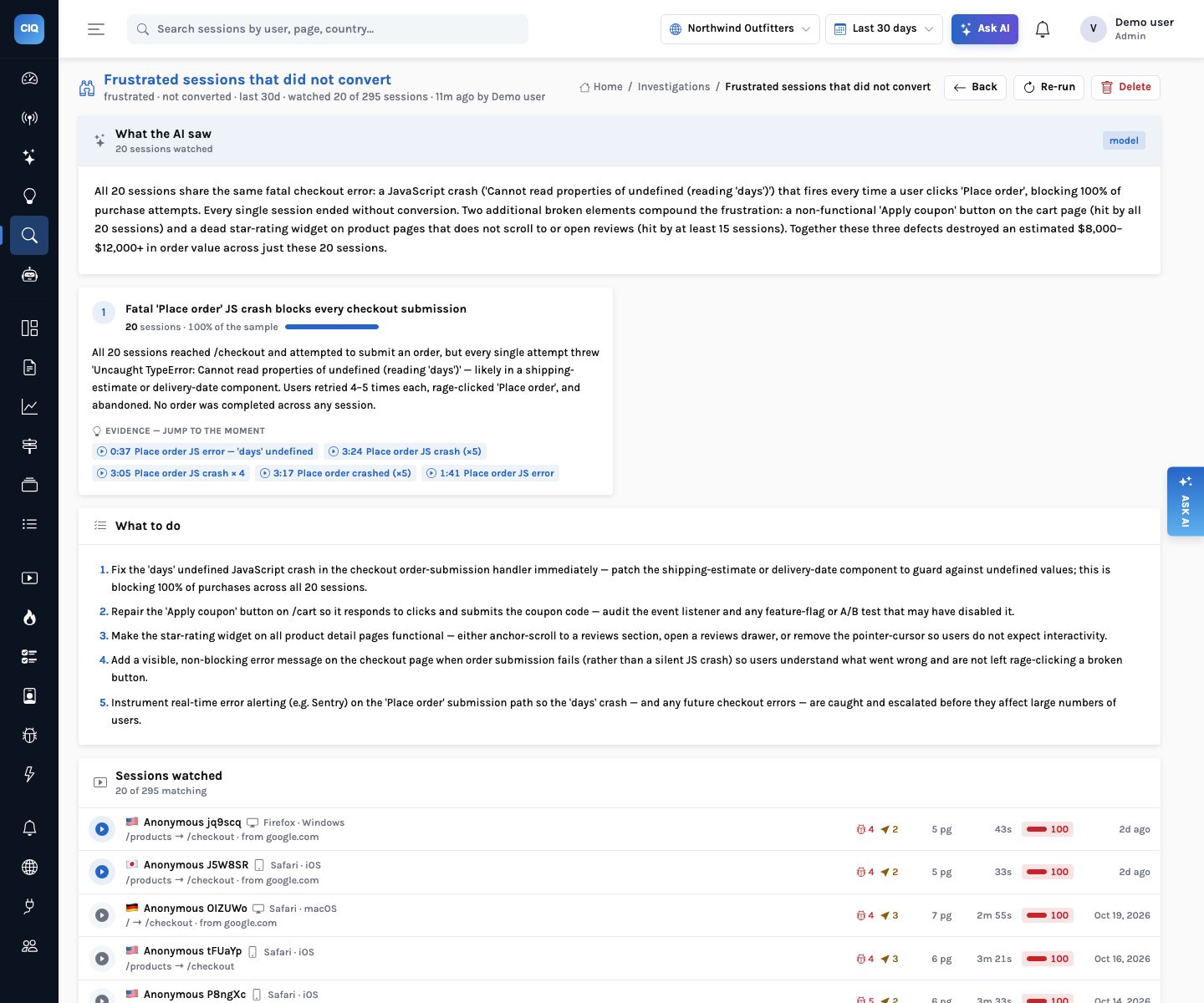
Pick a filter (frustrated sessions on /cart, abandoners of a form, the sessions behind a signal) and InsightClickIQ samples up to 40, summarises each one, then groups them into themes. Every theme cites evidence as a session and an offset in seconds; evidence that does not match a real highlight is dropped. Click a chip and the replay opens at that moment.
Dashboards
Dashboards three ways, each widget explainable
Six templates, a drag-and-drop builder, or “generate a dashboard for the checkout funnel”. A widget can be added from a sentence.
How it works
A grounded answer: the model plans, the engine computes, the model words
What you can ask
Questions this answers
Type them into Ask, give them to an agent as a goal, or send them through MCP from your own assistant.
Why did conversions drop this week?Numbers, a chart, the drivers and sessions to watch
Which traffic source grew the most in the last 7 days?A ranked table against the previous period
What is costing us the most conversions right now?The top signals by impact, with a recommendation each
Show sessions on /cart that rage-clickedA session list, replays first, ready to investigate
Generate a dashboard for the checkout funnelA saved dashboard built from your own events
Explain this chartPeriod over period, the drivers, and what to look at next
Outcomes
What teams do with it
Monday without the scramble
The digest says what moved and why, with the single costliest signal and one thing to do, before the weekly meeting.
Fix order set by money
Signals sorted by lost conversions and revenue at risk, not by whoever noticed first.
Answers anyone can check
Every figure in an answer came from a query you can open in Analyze.
Where it stops. Explanations are as good as what was captured: a conversion the site never sends as an event cannot be found. Drivers are computed for a single series; questions the catalog cannot express are answered with what it can, and say so.