- contact@insightclickiq.com
- Every click, every session, explained by AI

Comments & sharing
Say what you saw at the second you saw it
A replay is most useful when it reaches the person who can fix what it shows. Comments pin a note to a moment; a share link sends exactly one resource to someone without an account, for as long as you choose.
Comments
Threads on the replay, marked on the progress bar
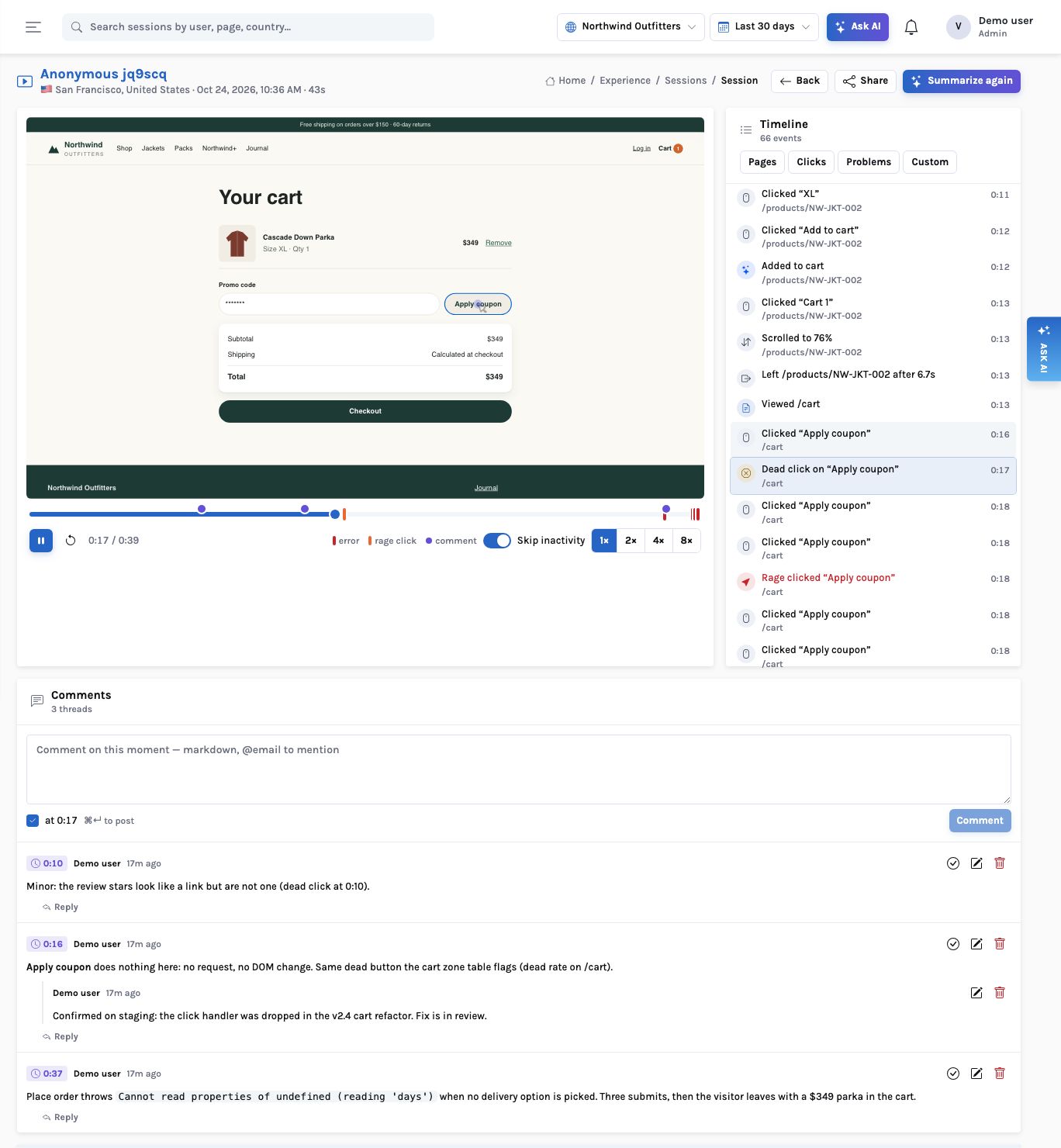
Anyone signed in to the organisation can comment, viewers included: watching replays and saying what they saw is their job. A comment on a session is stamped with the playhead; its chip (“0:16”) seeks the player, and a violet dot marks it on the progress bar beside the error and rage marks. Threads have one level of replies, markdown, @mentions of people in the organisation, resolve and reopen.
The same panel sits on reports, dashboards and investigations, so the discussion stays with the evidence instead of in a chat thread that links to it.
Share links
One resource, the parts you choose, until a date you choose
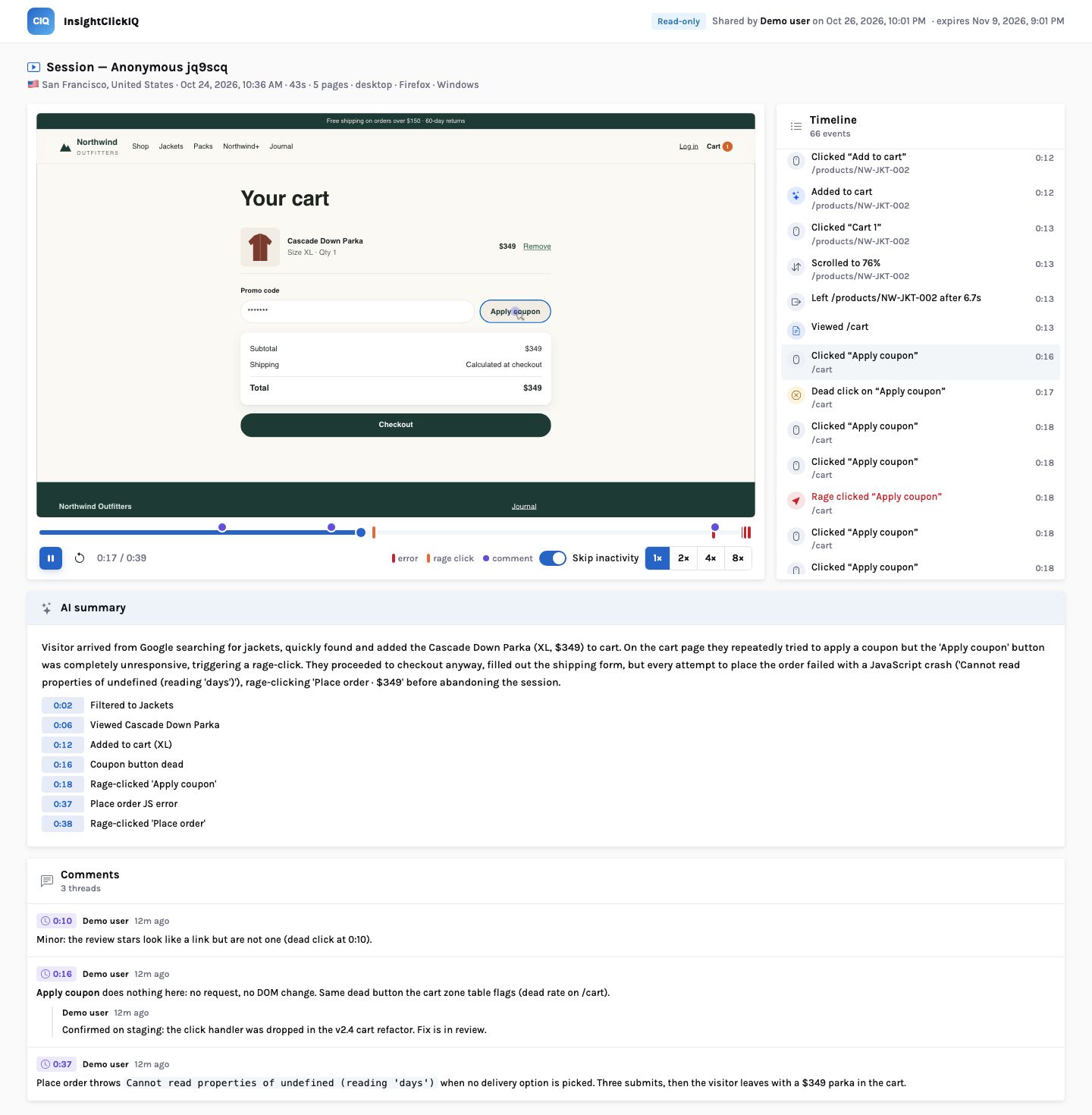
The Share button on a replay, report, dashboard or investigation creates a public link. You pick its scope (the replay, the comments, the AI summary) and an expiry of 1, 7, 14, 30 or 90 days. The link is shown once; only its hash is stored. The resource’s links are listed with their views and last view, and any can be revoked.
- The page opens without a sign-in and says who shared it and when it expires
- A shared session shows the cached AI summary; a public read never calls the model
- No person record is included with a shared session
- Revoked and expired links answer with a plain page (410), and every read is rate-limited
How it works
A shared replay: from a comment at 0:16 to a read-only page for someone outside
What you can ask
Questions this answers
Type them into Ask, give them to an agent as a goal, or send them through MCP from your own assistant.
Comment on this momentA thread stamped with the playhead
Share this replay with the vendor for a weekA 7-day link with the replay scope only
Who has opened the link I sent?Views and last view per link
Revoke every link to this dashboardEach link marked revoked; the page answers 410
Send the board report to the CFOA report link with the last render, or email it as a PDF
What did the team say about this session?The threads, oldest first, with replies
Outcomes
What teams do with it
Bugs with evidence
The ticket links to a replay with a note at the exact second.
Outside help without accounts
An agency or vendor sees one replay for as long as you allow.
Reviews in context
Report and dashboard comments stay with the numbers they are about.
Where it stops. Mentions are recorded on the comment and, where the platform’s notification table is present, notify the person; there is no separate in-app inbox in InsightClickIQ yet. A shared investigation shows its findings and the sessions it watched, not their replays.