- contact@insightclickiq.com
- Every click, every session, explained by AI

Segments & annotations
Define the audience once, in a sentence
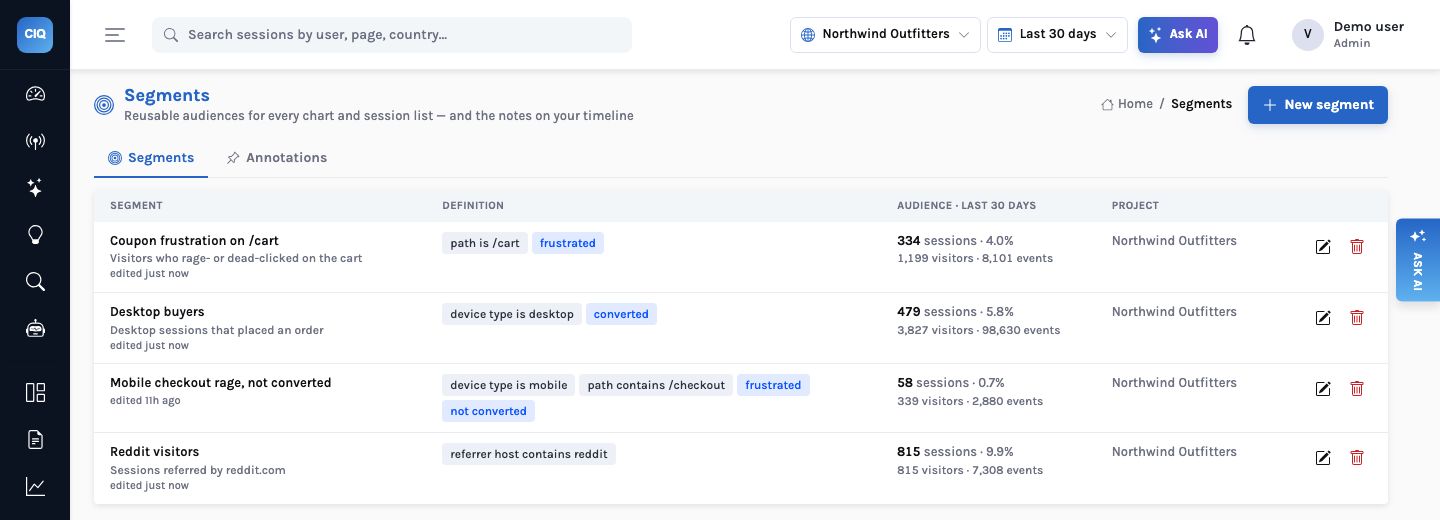
A segment is a reusable audience: who they are (device, country, source, page, properties) and how they behaved (frustrated, hit an error, converted, has a replay). Use it everywhere.
Segments
From a description to a saved audience
Describe the audience (“mobile visitors from paid search who hit an error and did not convert”) and InsightClickIQ drafts the filters against your project’s real catalog, with an explanation, and previews its size: people, sessions, events and its share of all sessions. Nothing is saved until you save it.
- Event filters: any column or custom property, with 14 operators
- Session behaviour: frustrated, errors, converted, has replay, minimum duration
- Usable in Analyze, dashboard widgets, alerts, saved queries, AI answers and the sessions list
- Project-level or shared across the organisation
Annotations
Releases, campaigns and incidents on every trend
Mark the moment something changed. Annotations are drawn as dashed markers on the Overview traffic chart and the Analyze trends chart, one colour per kind, and agents and the digest can read them. On the demo store, the “v2.4 — new checkout flow” release on October 20 sits right where the checkout TypeError (“Cannot read properties of undefined (reading ‘days’)”, 870 times in 223 sessions over 30 days) begins.
How it works
A segment from a sentence: drafted against your catalog, previewed, then usable everywhere
What you can ask
Questions this answers
Type them into Ask, give them to an agent as a goal, or send them through MCP from your own assistant.
Make a segment of mobile visitors from paid searchA draft with filters and its size
Conversion for that segment, last 30 daysAny query with the segment applied
Alert me if frustrated sessions in that segment doubleAn alert carrying the segment
Mark today's release as v2.5An annotation on every trend (editors)
What changed after the v2.4 release?The trend around the marker, with drivers
Show replays for the segmentThe sessions list filtered by it
Outcomes
What teams do with it
One definition for everyone
Marketing, product and support filter by the same saved audience.
Releases you can see
Every trend shows when a release, campaign or incident happened.
Alerts on the people who matter
Watch a metric for one audience, not the whole site.
Where it stops. Queries count people across devices by default (a device two people signed in on belongs to the one seen there most recently); switch to Devices to count each browser or app install.