- contact@insightclickiq.com
- Every click, every session, explained by AI

Heatmaps & zones
Which element earns the click, which one wastes it
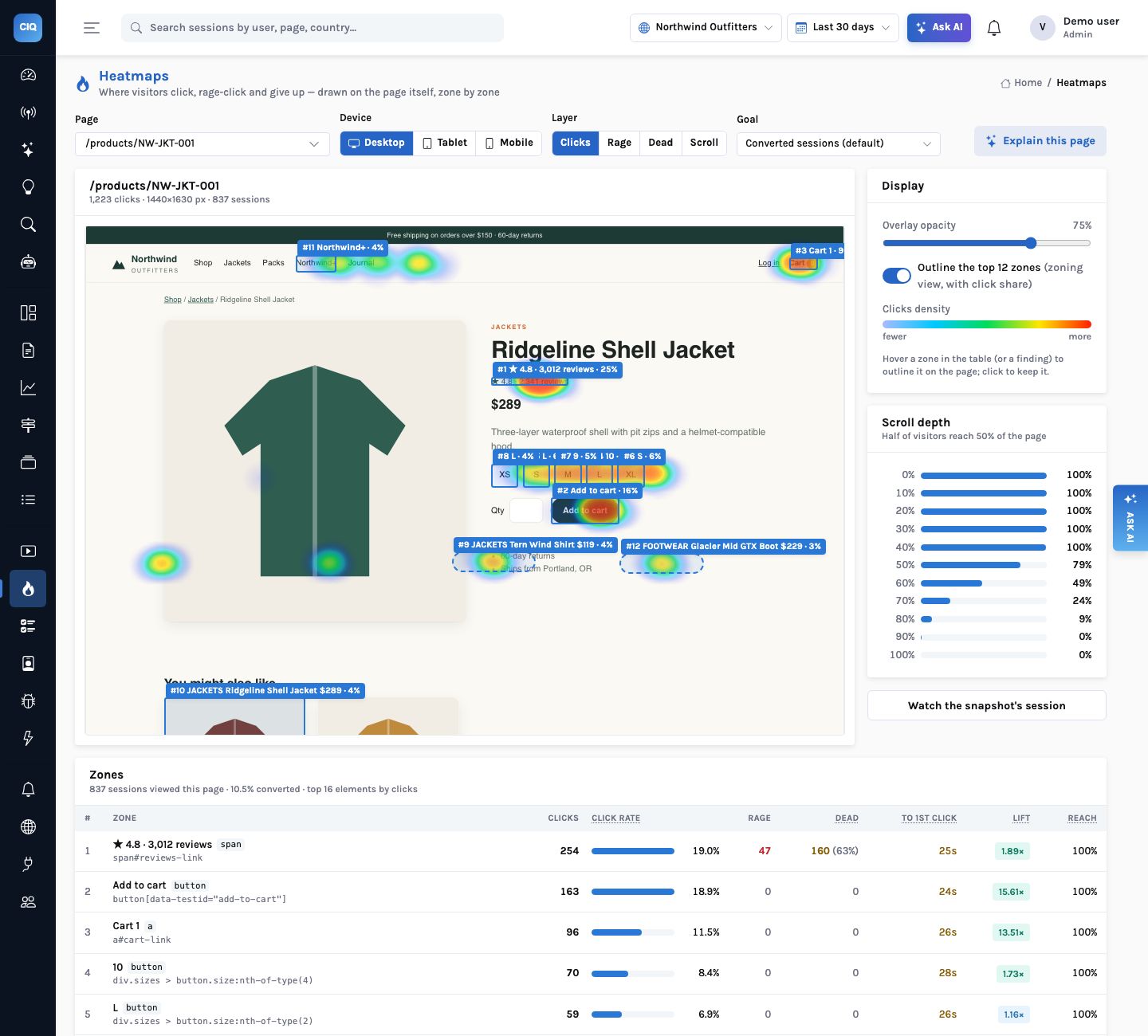
Heatmaps are drawn over the page rebuilt from a real session, not a screenshot. Zones turn the clicks into a table per element, and Explain this page tells you what to change.
Zones
A row per element, with what the click is worth
The top 40 elements by clicks on a page, grouped by selector and labelled by your data-clickiq-name when you set one. For each:
- Click rate (sessions that clicked it over sessions that viewed the page) and click share
- Dead and rage clicks, and the dead rate
- Time to first click, the median from the pageview
- Lift: conversion of sessions that clicked it against those that did not
- Reach: the share of sessions that scrolled far enough to see it
Hover a row and the element is outlined inside the rebuilt page; switch on the top 12 zones for the zoning view with click shares.
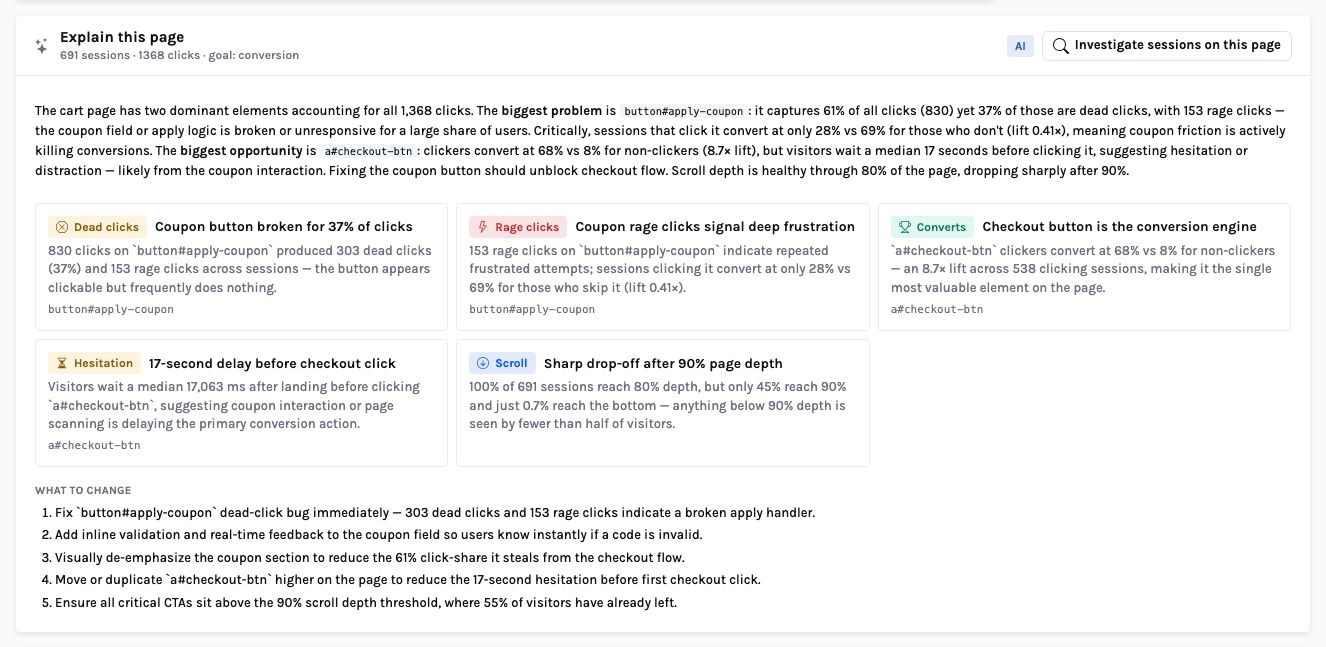
Explain this page
What to fix and what is working, from the table
The explanation is written from the real zone table, the scroll bands and a set of rule flags, and it may only cite them. On the demo cart page it reports that 303 of 830 clicks on the Apply coupon button did nothing (37%), with 153 rage clicks, and that sessions which clicked it converted at 28% against 69% for those that did not. The Checkout link has an 8.7× lift, but people wait a median 17 seconds before clicking it.
The answer is checked: findings must be of a known kind and name selectors that exist in the table; otherwise the rules answer is used. From here, Investigate sessions on this page starts an investigation over the frustrated ones.
How it works
From raw clicks to a checked explanation of one page
What you can ask
Questions this answers
Type them into Ask, give them to an agent as a goal, or send them through MCP from your own assistant.
Explain /cartFindings: dead, rage, winner, hesitation, scroll
Which element do people click that does nothing?Dead clicks per element with the sessions
Is the checkout button seen on mobile?Reach and click rate for the mobile layout
Which call to action is ignored?Elements most people see but under 2% click
Does clicking the reviews link help conversion?Lift for that zone, with a custom goal if you set one
How far down the page do people get?Scroll bands: the share reaching 50% and 90%
Outcomes
What teams do with it
Fix broken controls the day they ship
Dead and rage zones surface as signals with the sessions and the revenue at risk.
Move what converts into view
Lift and reach together show a winning element that half the visitors never see.
Settle layout debates with numbers
Click share and time to first click per element, by device.
Where it stops. Native screens have tap, rage and dead layers but no scroll layer. Reach is approximate: it uses each session's deepest scroll and the page's median height; sessions without a scroll sample are left out.