- contact@insightclickiq.com
- Every click, every session, explained by AI

Session replay
Watch the second it went wrong, not the whole session
A replay is evidence. InsightClickIQ summarises it from the event timeline, marks the moments that matter, links every finding elsewhere in the product to the right second, and lets you comment on that second and share it.
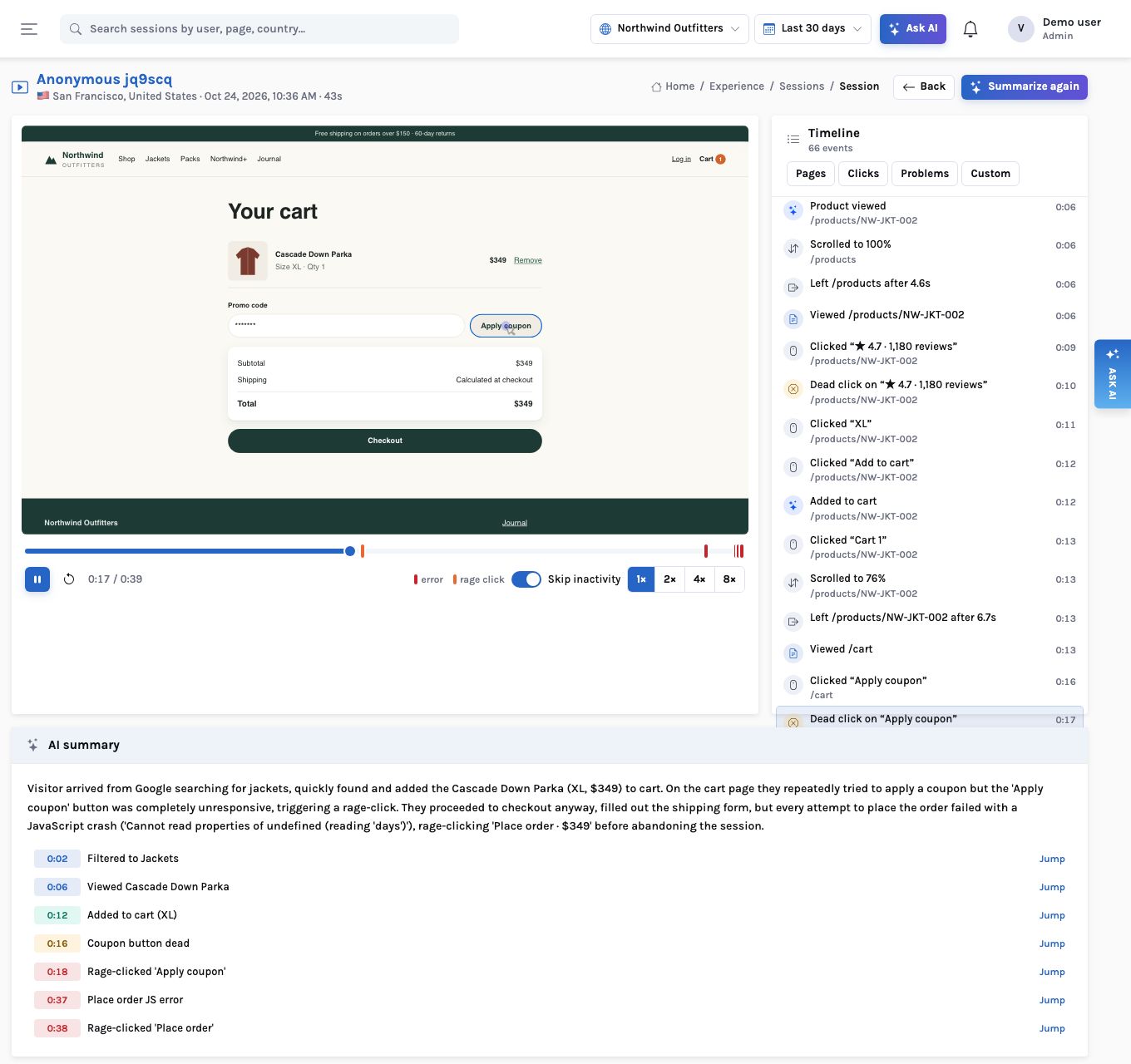
Replay and summary
What they wanted, what they did, where it broke
One click turns a session’s timeline into a summary: the visitor’s intent, the outcome, the frustration (rage and dead clicks, errors, loops) and highlights. Each highlight seeks the player; the timeline beside it lists every click, form step, error and page.
Sessions carry a frustration score from 0 to 100, so the list can be sorted by it and filtered by frustrated, errors, converted, device, country, path, length or a saved segment.
Recording
What is recorded, and how it is kept private
| Setting | Behaviour |
|---|---|
| Loading | The rrweb recorder (~23 KB gzipped) is fetched only when replay is enabled and the session is sampled in |
| Sampling | A per-project sample rate, decided once per session |
| Inputs | Every input, textarea and select is masked by default |
| Text | Elements matching [data-private] (or your selector) are masked |
| Blocking | [data-clickiq-block] elements are not recorded at all, and send no clicks or form events |
| Storage | Chunks every 5 s or ~512 KB, gzipped into your own object store (S3, Blob, GCS, OCI, MinIO), not the database |
| Consent | clickiq("consent", false) stops recording, clears the queue and ids, and is remembered |
| Native apps | Masked screenshots instead of a DOM: text inputs, web views and private views painted black on the device before encoding |
Comments and sharing
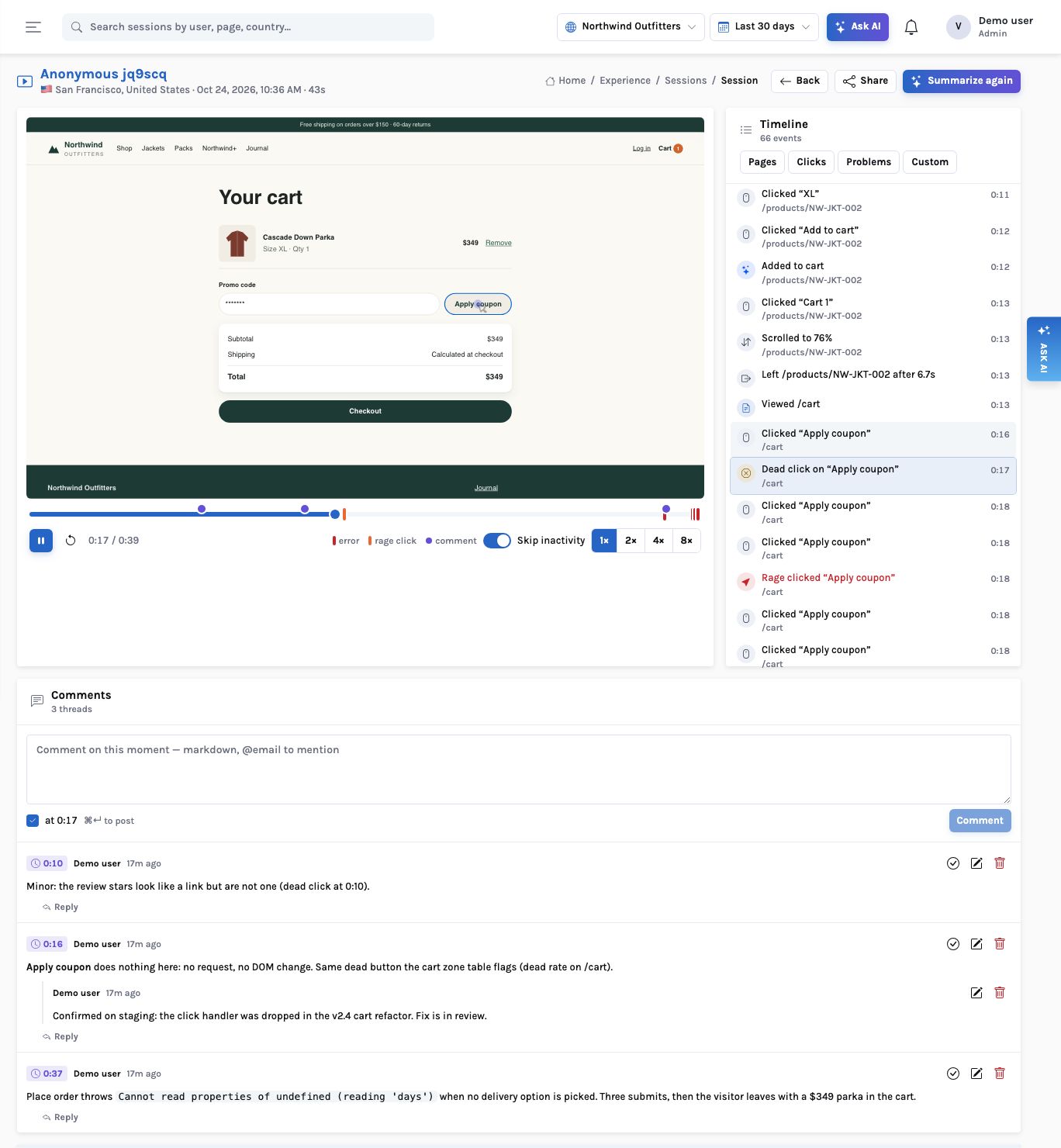
Pin a note to the second, then send exactly that
The Comments panel under the player holds threads stamped with the playhead. Each shows as a violet dot on the progress bar beside the error and rage marks, and its chip (“0:16”) seeks the player. Replies, markdown, @mentions, resolve and reopen; viewers can comment too.
Share creates a public, read-only link to this one session with the scopes you pick (replay, comments, AI summary) and an expiry from 1 to 90 days. The link is shown once, counts its views and can be revoked. The person you send it to sees the player, timeline, summary and comments without an account.
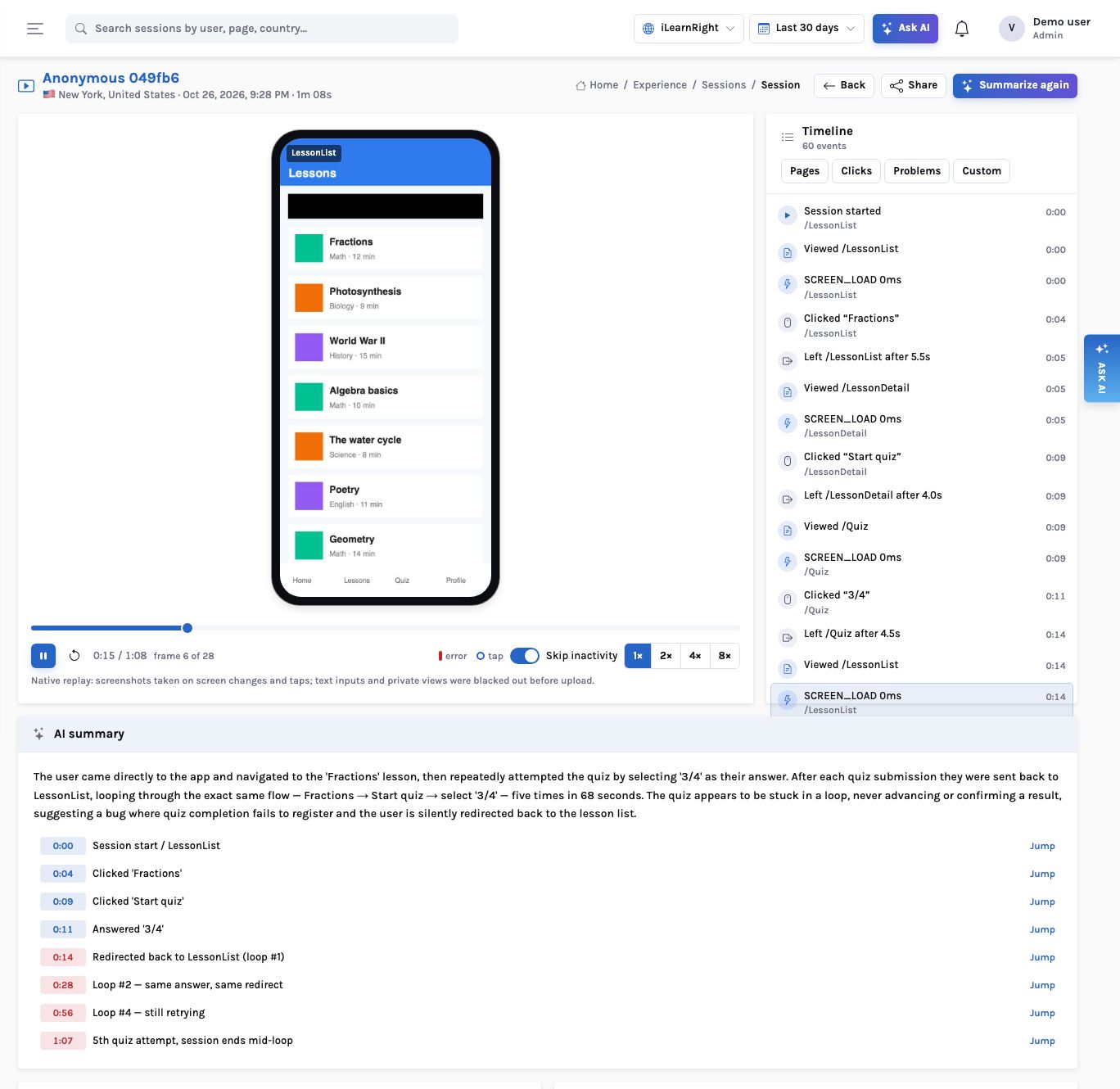
Native apps
The same player for an iOS or Android session
The iOS, Android and React Native SDKs record masked screenshots: on a screen change, after a tap, and at most once a second while the screen changes. The player shows them in a phone frame with tap rings, on the same timeline, with the same AI summary, highlights, ?t= links, comments and share links. The session list marks native sessions with replay with a phone icon.
How it works
A replay summary: from the event timeline to a highlight that seeks the player
What you can ask
Questions this answers
Type them into Ask, give them to an agent as a goal, or send them through MCP from your own assistant.
Summarise this sessionIntent, outcome, frustration and highlights
Show the most frustrated sessions on /checkout this weekSessions sorted by frustration, replays first
Sessions with the error “reading 'days'”The sessions behind an error fingerprint
Investigate sessions that abandoned the cartThemes across up to 40 replays
Sessions from Germany on mobile that convertedA filtered list, savable as a segment
What did user 1234 do yesterday?Their sessions and events
Outcomes
What teams do with it
Minutes, not hours, of watching
Start at the highlight the summary marks; skip the rest.
Evidence in the ticket
A link to the replay at the exact second goes into the bug report.
Recording you can defend
Inputs masked by default, private text masked, blocked regions never recorded.
Where it stops. Native replay is a series of stills (at most one a second), not video. Summaries describe what the events show; they cannot see content that was masked or blocked. A public link shows the cached summary and never calls the model.