- contact@insightclickiq.com
- Every click, every session, explained by AI

Docs
Reports
Templates, AI-built and hand-built reports, server PDF, and the events the executive usage template expects.
A report is a printable document over one date range: sections of panels, with summary panels the AI writes from the other panels’ real results.
Structure
TypeScripttype Report = { name; project_id; source: "manual"|"ai"|"template"; template; range; filters; segment_id?;
theme: { title?, subtitle?, brand?, color?, logo_url? }; sections: Section[] };
type Section = { title; description?; panels: Panel[] };
type Panel = { type: "summary"|"kpis"|"chart"|"table"|"map"|"text"; title; w: 3|4|6|8|12;
spec?: QuerySpec; kpis?: QuerySpec[]; viz?: Viz | "hbar";
prompt?: string; // summary: what the narrative should cover
text?: string }; // text: markdown you writeThree ways to build one
| How | Endpoint |
|---|---|
From a template: executive_usage, weekly_product, acquisition, ux_quality (each adapts to the events the project sends) | POST /api/reports/from-template |
| From a sentence: the AI builds sections and panels from the catalog, summary first | POST /api/reports/generate |
| By hand, or one panel from a sentence (“top brokers viewed, horizontal bar”) | POST /api/reports, POST /api/reports/{id}/panels/suggest |
Rendering, print and PDF
POST /api/reports/{id}/render runs every panel, then writes the narratives (rules fallback without a model), cached ten minutes per report and range. The console’s print route lays the report out for A4 and marks the page ready only after every panel has painted. GET /api/reports/{id}/pdf prints that route with headless Chromium.
pip install playwright && playwright install chromium
export CLICKIQ_CONSOLE_URL=https://clickiq.example.com     # where the console's print route is served
# CLICKIQ_PDF=off  → the API answers 501 and the console uses the browser's print-to-PDF
Snapshots (POST /api/reports/{id}/snapshots) keep a render and its PDF in your object store: a record of what was sent.
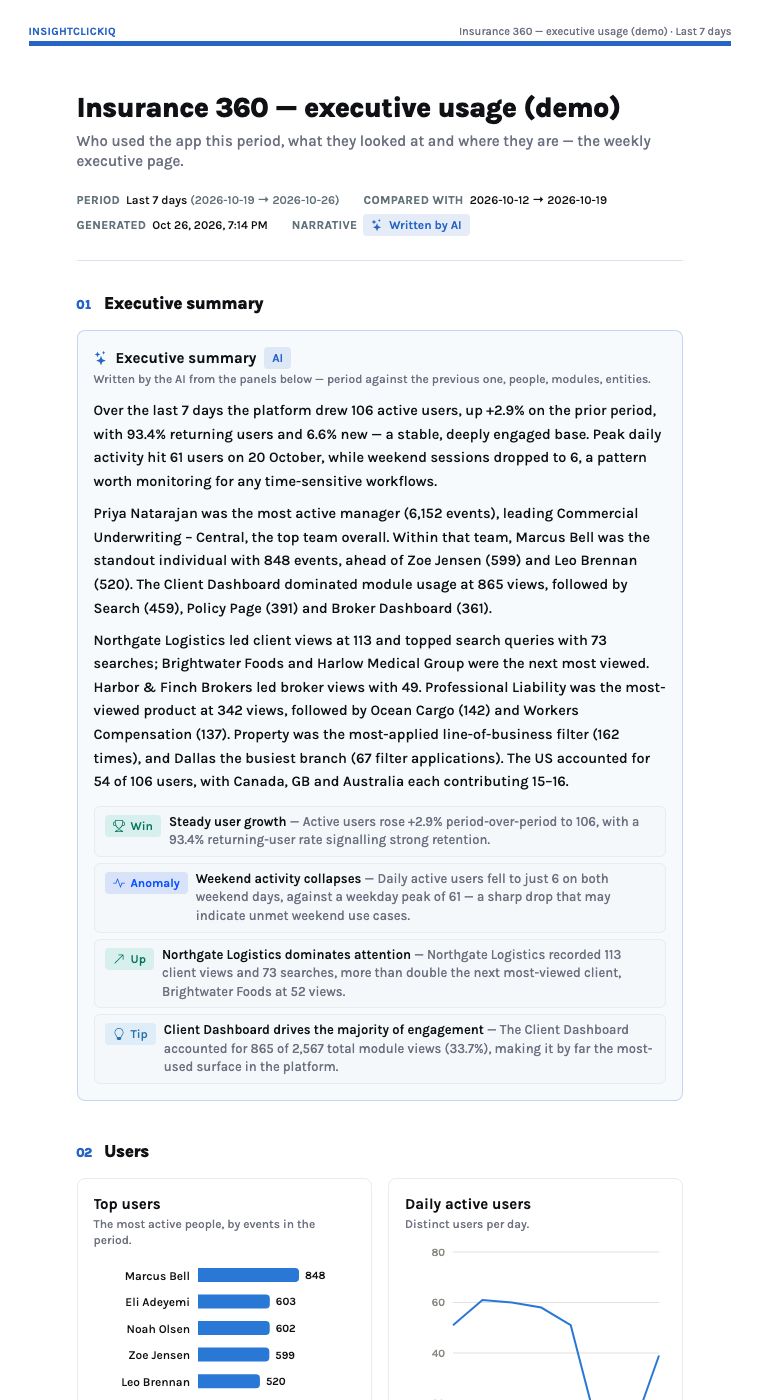
Person traits and geography
user.<trait> is a property anywhere a property goes, read from the traits passed to identify (manager, team, division, department, branch, role, name). A map panel declares its level through spec.breakdown: country (world), region (US states) or city (a ranked list over a world backdrop).
Instrumenting for the executive usage report
The template renders with no further configuration when the application sends these events. This is the taxonomy from the client-360 instrumentation guide, live in the Insurance 360 demo project.
| Event | Properties | Feeds |
|---|---|---|
Login succeeded / Login failed | method; reason (sent by the server) | Daily actives, new vs returning, failed logins |
Module viewed | module | Module engagement |
Search | entity_type, results | Search volume, zero-result searches |
Entity viewed | entity_type, entity_name, lob, product | Top viewed clients and brokers |
Filter applied | filter, value | Filters used (division, department, line of business, branch) |
AI insight viewed, Export | insight_type; format | Which insights are read; exports per module and user |
Quote created, Policy bound | lob, product; premium as value | Conversion events |
identify | name, manager, team, division, department, branch, role | Top users, the manager’s team, any trait breakdown |