
Every analytics product eventually meets the same table. Pageviews, clicks, scroll depth, vitals and errors arrive at a rate of dozens per session, they are never updated, and every chart scans a month of them. Sessions, people, dashboards, reports and the AI’s conversations are small by comparison. The architecture question is almost entirely about where that one table lives.
InsightClickIQ’s answer is: in Postgres for as long as Postgres is comfortable, and in ClickHouse after that — with the move done by setting environment variables rather than by rewriting the product. This post covers both halves: what makes Postgres last, how the ClickHouse store is wired, and what happened when we ran the same queries against both.
How big is the table, really?
Measured on the demo data: an event costs about 0.9 KB in Postgres with its indexes (271k events took 246 MB), and sessions and people add roughly another 10%. Replay bodies, the largest bytes in the system, never touch the database — they are gzipped rrweb JSON in an object store. That makes sizing a matter of arithmetic.
| Traffic | Events / month | Postgres growth | 13 months kept | What fits |
|---|---|---|---|---|
| Internal app, demo, small site | 0.1 – 2 M | 0.1 – 2 GB | 1 – 25 GB | One small Postgres (2 vCPU / 8 GB) |
| Mid-size product or store | 2 – 30 M | 2 – 27 GB | 25 – 350 GB | Postgres with monthly partitions and a read replica (4–8 vCPU / 32 GB) |
| Large site, many tenants | 30 – 300 M | 27 – 270 GB | 0.3 – 3.5 TB | Postgres works to about 100 M a month; beyond that 30-day scans get slow — ClickHouse for events |
| Very large, enterprise multi-tenant | > 300 M | > 270 GB | multi-TB | ClickHouse for events; Postgres for sessions, people and content |
Most deployments sit in the first two rows and should stay on Postgres. The rest of this post explains why that is a comfortable place to be, and what the exit looks like when it is not.
Making Postgres last
Monthly partitions
The event table is partitioned by month on its timestamp: event_2026_09
covers September in UTC, event_2026_10 October, and a default partition catches a
timestamp outside every month. A daily background round creates partitions two months ahead, so
ingest never waits on DDL. A 30-day chart touches one or two partitions; vacuum stays cheap
because each partition carries its own autovacuum setting (scale factor 0.02).
The partitioning came with an index diet. The ten indexes the table used to carry cost about 45% of its bytes; it now keeps the ones every query uses — project and time, project and session, project and event name, project and user, project and anonymous id, a BRIN on time — and makes the page-type index and the error-fingerprint index partial, so they only index the rows they serve.
Retention that drops, rather than deletes
Each project has a retention_days. A daily round, at a quiet local hour (3 a.m. by
default), works out each project’s cutoff. A month partition no project still needs a row
from is dropped — instant, and no bloat. Anything else is deleted in 50,000-row
batches, one short transaction each. The same round removes the replay chunks and their objects,
sessions that ended before the cutoff, people not seen since, insight-cache rows older than 30
days and dismissed signals older than 90.
Erasure uses the same machinery: DELETE /api/people/{id} removes a person, every id
they were seen under, their sessions, events and replay objects.
A read replica for the console
When ingest and dashboards start competing, set CLICKIQ_READ_DATABASE_URL. The
read-heavy routes — queries, the overview, journeys, heatmaps, forms, errors, performance,
events — move to the replica, pinned to the caller’s organization exactly as on the
primary. Unset, the replica is simply the primary. The role defaults matter too: a 30-second
statement timeout and 64 MB of work_mem for the API role, and PgBouncer in
transaction mode is safe because the tenant is set per transaction.
The switch: one query module, two dialects
Two decisions made early are what make the move cheap. First, nothing in the product writes SQL
against the event table except one module. Every chart, widget, alert, AI answer and MCP tool
compiles a QuerySpec through app/services/query. Second, that module
writes each statement once and asks a dialect for the parts that differ between engines.
The dialect is a small class with one method per difference: the table name; how to read a JSON
property (props #>> … against JSONExtractString); a
distinct count (uniqExact); a percentile (percentile_cont against
quantileExactInclusive — both interpolate, so a p75 agrees); a filtered
aggregate; a time bucket in the project’s time zone; case-insensitive match; regex;
an IN list; the first event of a session. Placeholders follow the engine —
:p0 for Postgres, server-side {p0:String} for ClickHouse — so no
value is ever spliced into a statement on either.
A handful of hand-written statements (quality, forms, signals, the digest, zones) carry one text
per engine. A statement with no ClickHouse text raises NotPorted rather than
quietly running the wrong SQL. That is the important design choice: a gap in the port is an
error you see in testing, not a wrong number on a dashboard.
| Runs on the configured store | Stays on Postgres (needs dual-write) |
|---|---|
Every POST /api/query kind: trends, metric, table, funnel, retention, paths, web | Property and trait discovery in the catalogue (jsonb_each) |
| The overview; event names and values | Session timelines; the raw events page; the live feed |
| AI drivers; insight event mix; signals’ series, sources, frustration, errors, performance, order value | Signals’ impact joins; insights.facts_* |
| Journeys (patterns, compare, drop-off, top errors) | The zones element table (window functions and the session join) |
| Errors list and counts, performance, every forms statement | Error samples; heatmap snapshots and replay |
| Zones scroll depths; heatmap page list and heat aggregates | The identify back-fill of user_id; per-project counts |
Tenancy without row-level security
On Postgres, tenancy has two lines: every route scopes its queries, and row-level security on
the organization is the second line that catches a mistake. ClickHouse has no row-level
security, so the second line is rebuilt in code. The query builder always binds
organization = {org} and the project; every hand-written ClickHouse text does the
same; and the ClickHouse dialect’s execute refuses a statement without
an organization predicate. A test asserts the predicate on every generated statement. On top of
that, give the console a read-only ClickHouse user (GRANT SELECT) and give ingest a
separate writer through CLICKIQ_CLICKHOUSE_WRITE_URL.
Person traits on ClickHouse
Breakdowns like user.manager read identify traits, which live in Postgres. The ClickHouse dialect reads the distinct-id → value map for the organization once per statement (cached for a minute) and binds it as two arrays for transform(), so every anonymous id an identified person used maps to the same value. The limit: the 50,000 most recently seen people per trait; others read as empty.
Dual-write and backfill
Ingest inserts each batch into Postgres, folds sessions and people, commits, and then hands the same rows — same ids — to ClickHouse. A ClickHouse failure never fails the request: it is logged and counted, and the rows wait in a bounded in-memory queue of 10,000 (oldest drop first) that the next batch drains ahead of itself. The readiness endpoint shows the counters — inserted, batches, failed batches, queued, dropped, last error — so a lagging store is visible.
The ClickHouse table is a ReplacingMergeTree ordered by
(project_id, ts, id), partitioned by month, with a TTL of 400 days by default, so a
retried batch or a repeated backfill converges. The backfill script reads Postgres in id order,
asks ClickHouse which ids of each batch already exist, and inserts the rest. It is re-runnable and
interruptible: locally it copied 271k rows in 10 seconds, and a second run copied none.
- 1Run ClickHouse
ClickHouse Cloud on AWS, Azure or GCP, self-managed on OCI or on-premises, or the compose profile on a laptop. Set the URL and the password as a secret reference.
- 2Shadow-write
CLICKIQ_EVENT_DUAL_WRITE=truewhile the backend is still Postgres. New events now land in both. - 3Backfill
python scripts/backfill_clickhouse.py --project all --since 2026-01-01. Run it twice if you like; the second run copies nothing. - 4Flip
CLICKIQ_EVENT_STORE=clickhouse./api/health/configshows the backend, URL without password, table, TTL and dual-write. - 5Keep dual-write on
Sessions, people, replay and the Postgres-only reads still need the rows.
The same queries on both engines
The architecture document records that the same specs answer identically on a Postgres-backed
and a ClickHouse-backed process, with ClickHouse 1.3–17× faster per statement on
270k rows, and the user.manager breakdown going from 957 ms to 54 ms. For this post
we ran the comparison again ourselves: two API processes on one laptop, one on the Postgres
store and one on a local ClickHouse 24.8 holding the same 270,893 rows, AI switched off on both,
a fixed 30-day window. Figures are the engine’s own sql_ms, median of five
runs after a warm-up; the last rows are whole endpoints timed from the client.
| Query (Northwind or Insurance 360 demo) | Postgres | ClickHouse | Same answer? |
|---|---|---|---|
| Trends: pageviews by device, daily | 68 ms | 30 ms | Identical |
| Metric: visitors with the previous period | 34 ms | 18 ms | Identical |
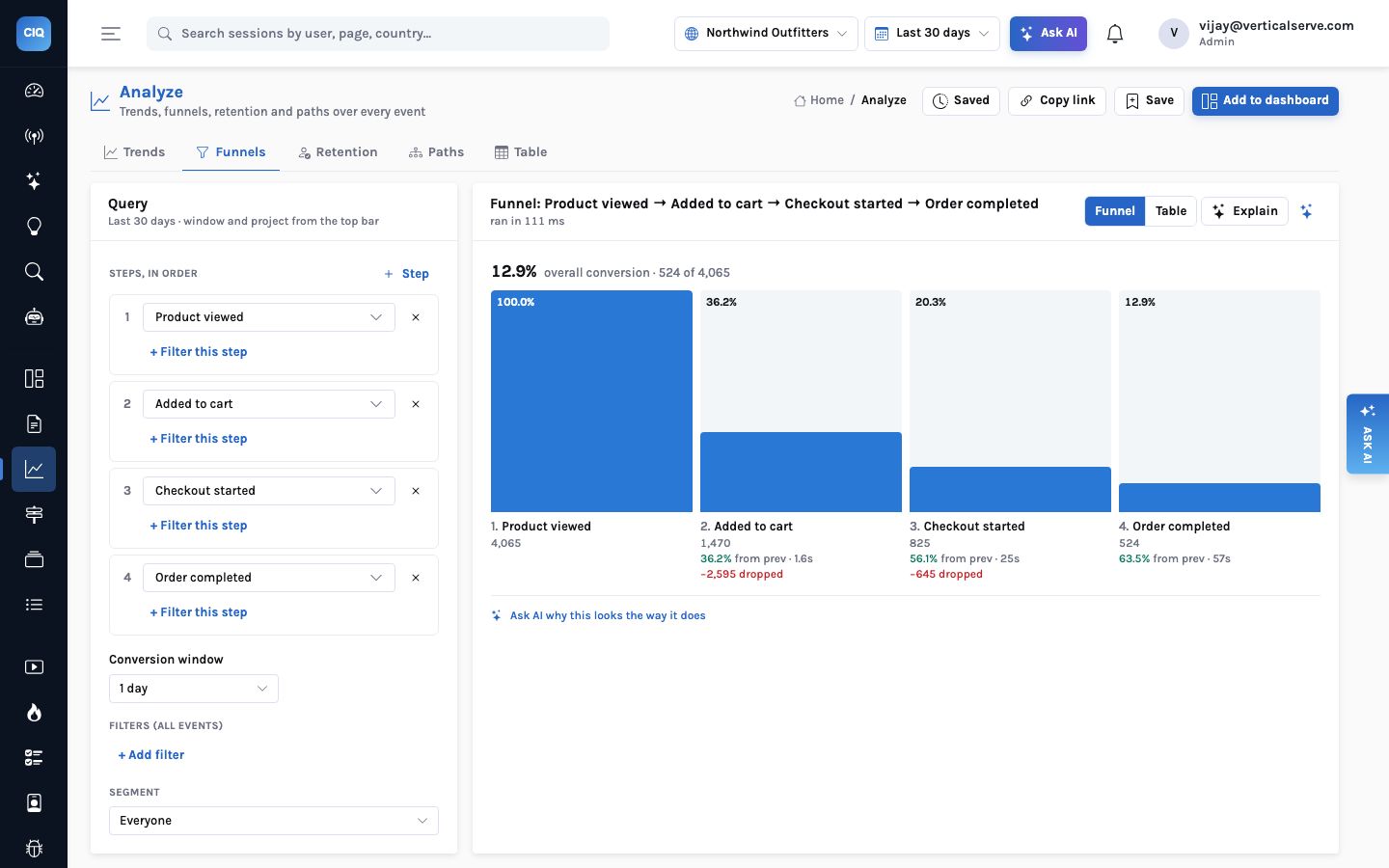
| Funnel: product → cart → checkout → order | 31 ms | 118 ms | Identical |
| Retention: signed up → order, weekly | 4 ms | 29 ms | Identical |
| Paths from /, depth 4 | 126 ms | 121 ms | Identical |
| Web stat: top pages | 109 ms | 22 ms | Identical |
Table: Module viewed by props.module | 26 ms | 24 ms | Identical |
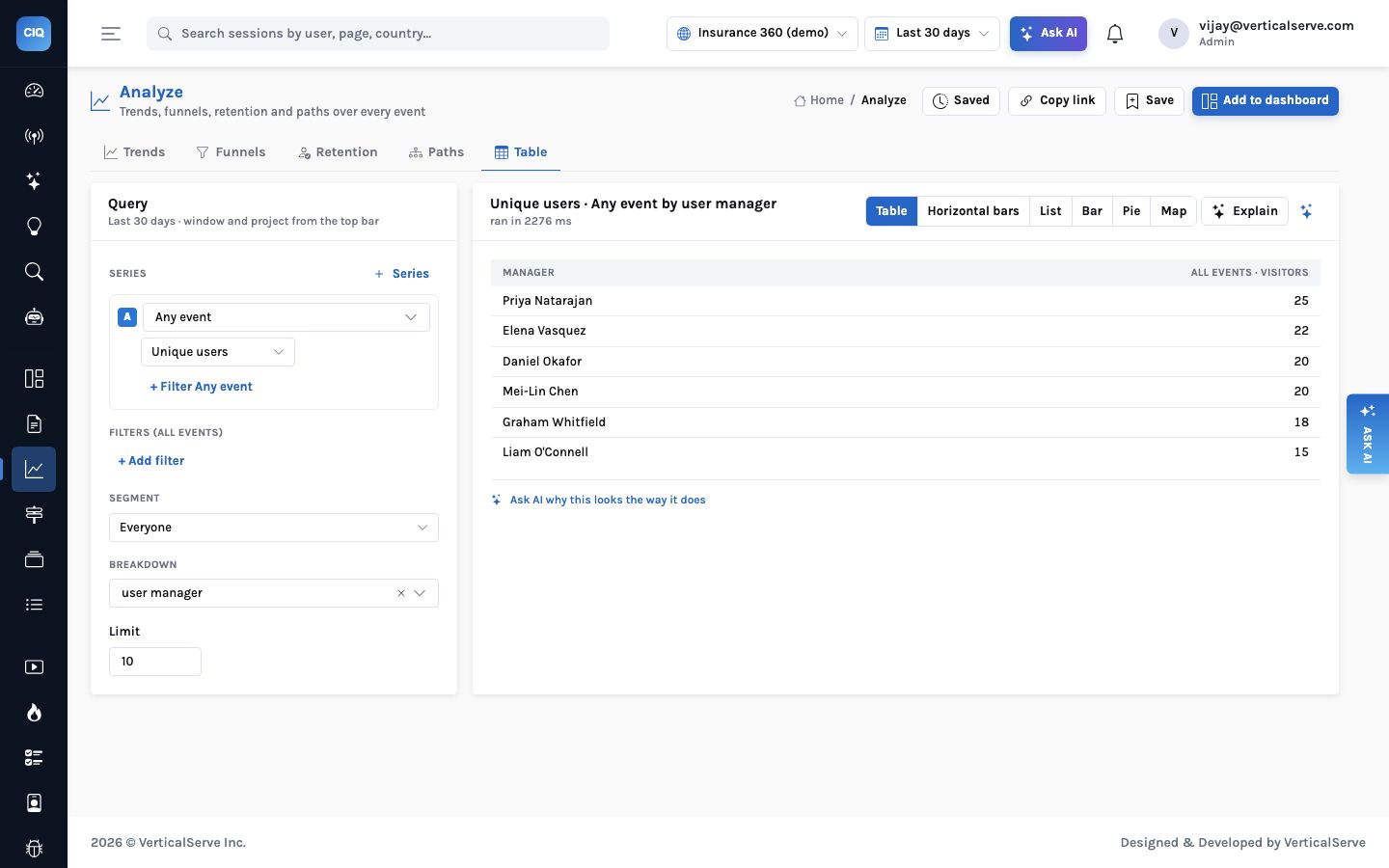
Table: users by user.manager (person trait) | 1,793 ms | 45 ms | Identical |
| Overview endpoint, 30 days | 828 ms | 173 ms | Identical |
| Errors / performance / forms endpoints | 10 / 41 / 18 ms | 14 / 25 / 13 ms | Identical |
| Journeys: patterns / converted vs dropped | ~0.5 s / ~0.35 s | ~0.6 s / ~0.4 s | Identical |
| Heatmap page list (100 pages) | 128 ms | 37 ms | Same counts; ties at the cut-off ordered differently |
Three things are worth reading out of that table, and none of them is “ClickHouse is faster”.
- Parity held everywhere. Every result was byte-for-byte the same once timings were removed. The only difference was the order of single-view pages tied at the bottom of a 100-row list, where neither engine promises an order.
- At this size Postgres is not the problem. Almost everything answers in tens of
milliseconds on both. The funnel and retention are slower on ClickHouse here, because the
port deliberately keeps the same self-join shape on both engines so the answers agree; the
ClickHouse-native forms (
windowFunneland friends) are a later optimisation. - The person-trait breakdown is the outlier. Joining every event to the person’s traits under row-level security is the one query that hurts on Postgres — 1.8 s here, 2.3 s in the console screenshot below — and the one the trait-map approach on ClickHouse turns into 45 ms. It also grows with rows, which is why it is the first thing a large tenant feels.
When to move
Do not move because ClickHouse is fashionable. Move when one of these is true:
- You are past about 100 million events a month, or will be within the retention window, and 30-day console queries are scanning more than 100 million rows.
- Trait breakdowns are central to how you report — by manager, team, branch, plan — and they are getting slow.
- You run many tenants on one deployment and want the event scans off the database that holds everyone’s state.
Before that, the cheaper wins are in Postgres: the partitions and retention already shipped, a read replica, and the daily rollups that are the next storage item on the list. Those are engine-independent and are needed before the ClickHouse step anyway.
New SQL for every chart, months of side-by-side checking, and a cut-over weekend.
The same QuerySpecs compile to the other engine, answers are checked identical, and Postgres keeps everything that is not the event table.
Keep the events where they are cheapest to keep, and keep every question the same wherever they live.


